
Introduction
A system prompt tells the AI how to behave. A user prompt tells it what to do right now.
That is the difference. The system prompt is the stable instruction layer: role, tone, rules, limits, output format, and boundaries. The user prompt is the live request: the question, task, context, or file the model needs to handle in this turn.
This split matters because most bad AI output is not caused by the model alone. It is caused by poor structure. People treat the model like a search bar, type a loose request, and then blame the tool when the answer feels generic, off-tone, or hard to control.
Put stable behavior in the system prompt and task-specific instructions in the user prompt. The result is easier to steer, easier to repeat, and easier to cost because you can see which instructions need to stay in context and which only belong in the current message.
This guide gives you the plain-English difference first, then shows examples, placement rules, common mistakes, and how system and user prompts affect token usage.
Estimate AI token costs for free ⇒
System Prompt vs User Prompt: The Short Answer
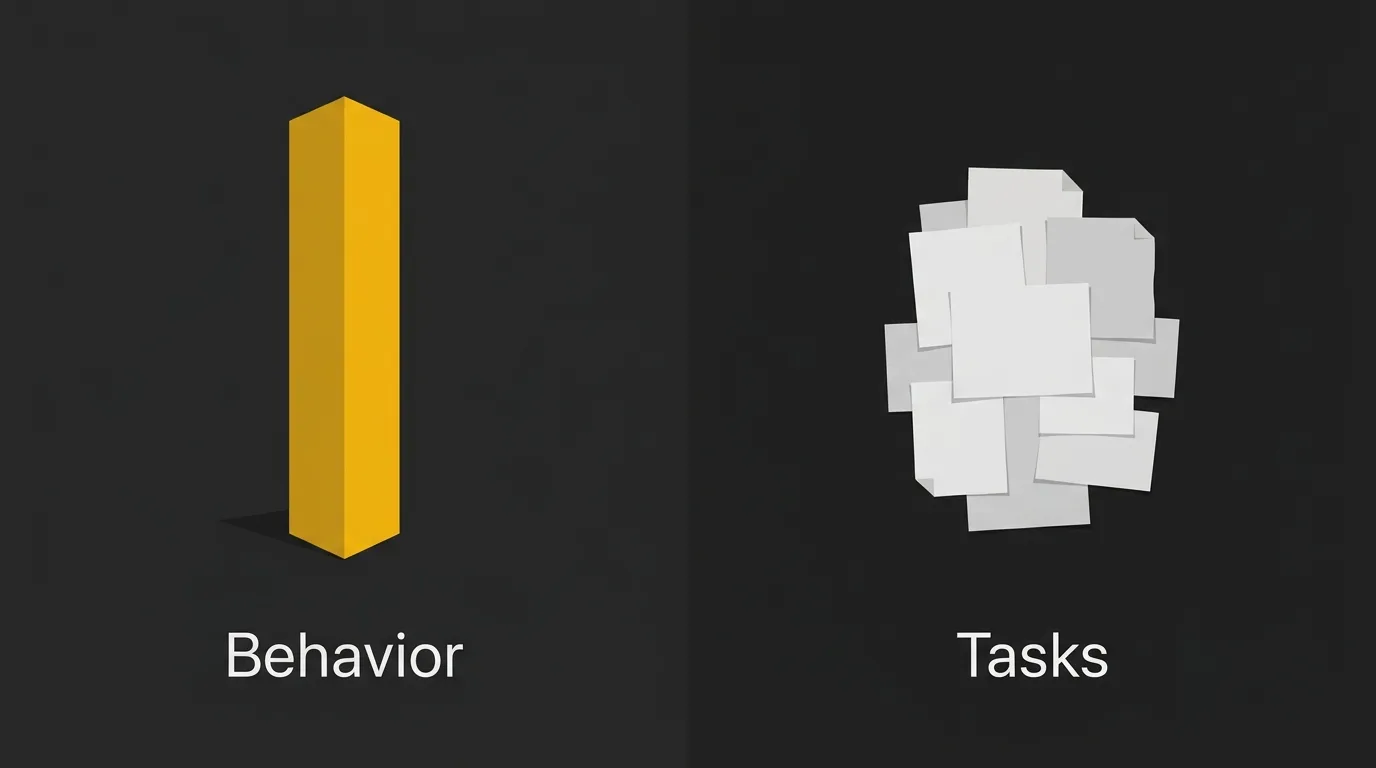
The short answer is this: the system prompt is the job description, who the AI is and how it should behave; the user prompt is the specific task, what you want it to do right now.
The one-line difference
A system prompt sets the rules, role, tone, and boundaries for the model. A user prompt asks for an output inside those rules, whether that is a summary, email, code snippet, or explanation.
That is why two people can ask for the same thing and get different results if the underlying system instructions are different.
A simple analogy
Think of it like a restaurant. The system prompt is the chef’s training, the house rules, and the menu the kitchen works from. The user prompt is the customer’s order.
Or in a work setting, the system prompt is how a manager briefs a new employee before the shift starts. The user prompt is the task that lands in their inbox at 10:15 a.m.
When each one kicks in
The system prompt is usually set once by the developer, app builder, or platform, and it tends to stay constant across a session or workflow. The user prompt changes with each message because it reflects what the person wants done in that moment.
If you remember just one thing, remember this: the system prompt shapes behavior; the user prompt asks for work.
Side-by-Side: System Prompt vs User Prompt
If you want the fastest possible view, the table below makes the difference obvious. It compares the two prompt types across the things that actually affect output, not just theory.
| Attribute | System Prompt | User Prompt |
|---|---|---|
| Main job | Defines the assistant’s overall behavior | Gives the assistant the current task |
| Best used for | Role, tone, rules, boundaries, output style, safety limits | Questions, instructions, source material, examples, desired output |
| Typical owner | Developer, product team, app builder, or assistant creator | End user or workflow input |
| How often it changes | Usually stays stable across a session or workflow | Usually changes every turn |
| Scope | Applies broadly to the assistant’s behavior | Applies to the current request |
| Instruction priority | Higher priority than the user prompt | Lower priority than the system prompt |
| Visibility | Often hidden from the end user | Usually visible to the user |
| Token impact | Counts as input context when sent to the model | Counts as input context when sent to the model |
| Example | “You are a concise technical editor. Use plain English. Do not invent facts.” | “Rewrite this product update for a non-technical customer.” |
What Is a System Prompt?
A system prompt is the instruction layer that sets the model’s operating posture before the user’s request is handled. It tells the AI what role to take, how to sound, what rules to follow, what to avoid, and what shape the answer should come back in.
In plain English, it is the developer-defined, persistent prompt that can remain constant across a session, assistant, or workflow.
In most products, the end user never sees it. It is usually written by the developer, product team, or person configuring a custom assistant, then applied in the background so the AI behaves consistently across many different user prompts.
A good system prompt gives the model a stable frame. It can define tone, answer length, formatting, safety rules, escalation paths, and domain boundaries. That makes the assistant easier to trust because it is not reinventing its behavior every time a new message arrives.
It is not magic, though. A system prompt strongly guides the model, but it is still part of the context the model has to interpret. Clear, short, specific instructions usually work better than a long wall of competing rules.
What a system prompt actually does
A good system prompt gives the model a stable frame. It can set things like tone, answer style, boundaries, and formatting so the assistant stays more consistent from one request to the next.
It also helps reduce drift. If a user asks five related questions in a row, the system prompt is the part that keeps the assistant acting like the same assistant instead of changing personality or output style every turn.
That said, it is better thought of as a behavior-setting layer than a hard lock. It can strongly steer the model, but it does not make the model impossible to confuse or override.
What to put in a system prompt
Most system prompts include a small set of practical instructions:
- Role definition: who the assistant is supposed to be
- Tone: concise, formal, plain English, friendly, technical, and so on
- Constraints and boundaries: what the model should not do or claim
- Output format: bullets, JSON, Markdown, short paragraphs, fixed sections
- Domain scope: what topics it should focus on, and what is out of scope
- Ethical guardrails: safety rules, escalation rules, or compliance limits
A simple example could look like this: You are a customer service agent for a luxury travel brand. Keep replies under 80 words. Never promise refunds without escalating.
Who writes the system prompt?
The system prompt is usually written by whoever is shaping the assistant’s behavior. That might be an app developer, a product team, or a user setting up a custom GPT or Claude Project for a specific workflow.
If you are building with an API, this is often where you define the assistant once and keep user messages focused on the task. That split also matters for cost and structure, which is one reason tools like AI Token Calculator are useful when you are testing prompt setups at scale.
What Is a User Prompt?
A user prompt is the request you send to the model in a given turn. It is the part that tells the AI what you want done right now, and it usually changes with every new message.
Unlike the system layer running in the background, the user prompt is visible, active, and task-specific. If the system prompt sets the lane, the user prompt is the destination for this particular trip.
What a user prompt actually does
A user prompt gives the model a job to complete. That could be writing, summarizing, translating, extracting fields from text, classifying content, answering a question, or continuing a back-and-forth conversation.
The quality of the result often depends on how clearly the task is framed. If the ask is vague, the answer tends to get vague too. If the ask includes the right context and a clear output target, the model has a much better shot at giving you something useful on the first pass.
What to put in a user prompt
Most user prompts work better when they include a few practical pieces:
- The actual task: what you want the model to do
- Relevant context: background, source text, audience, or goal for this request
- Examples: optional sample inputs or outputs if you want a certain pattern
- Desired format: paragraph, bullet list, JSON, table, short answer, and so on
A simple example could look like this: Write a 100-word Instagram caption for our new rooftop suite launch, casual tone.
Common user prompt types
Generation prompts ask the model to create something new, such as a blog intro, support email, product description, or caption. These are the prompts most people start with.
Classification prompts ask the model to sort or label something. For example, you might ask it to mark incoming support tickets by topic or sentiment.
Extraction prompts ask the model to pull specific details from a larger block of text. That could mean names, dates, action items, or structured fields from a document.
Conversation prompts are open-ended turns where the goal is discussion, clarification, brainstorming, or follow-up. These feel the most natural, but they still work better when the ask is specific.
Real Examples: System Prompt + User Prompt in Action
Seeing both prompts together is where this usually clicks. The system prompt sets the working rules, then the user prompt drops in the task for that moment.
Example 1: Customer support chatbot
System prompt:
You are a customer support assistant for a premium luggage brand.
Keep replies clear, calm, and under 120 words.
Ask for missing order details when needed.
Do not invent shipping updates or approve refunds on your own.
Escalate refund or damage claims to a human agent.
User prompt:
A customer says their suitcase still has not arrived and they need it for a trip this weekend.
Write a reply asking for the order number and delivery address.
This split works because the system prompt fixes the brand voice, limits, and escalation rules. The user prompt only changes the live support situation the assistant needs to handle.
Example 2: Blog post writer
System prompt:
You are an SEO content writer for a SaaS brand.
Write in plain English with short paragraphs and practical examples.
Avoid hype and avoid making unsupported claims.
Use Markdown formatting.
Keep the tone professional and direct.
User prompt:
Write an introduction for an article about password managers for small teams.
Make it beginner-friendly and keep it under 120 words.
Here, the system prompt keeps the writing style stable across many articles. The user prompt swaps in the topic, audience, and exact deliverable for this one piece.
Example 3: Code reviewer
System prompt:
You are a senior code reviewer for a web app team.
Focus on bugs, security risks, and readability issues.
Explain feedback briefly and suggest safer alternatives when relevant.
Do not rewrite the whole file unless asked.
Use bullet points for findings.
User prompt:
Review this Python function for potential problems and suggest improvements.
Focus on input validation and error handling.
This works because the system prompt defines how the reviewer should think and respond every time. The user prompt tells it what code task to perform right now, and what part of the review deserves extra attention.
When to Put Something in the System Prompt vs the User Prompt
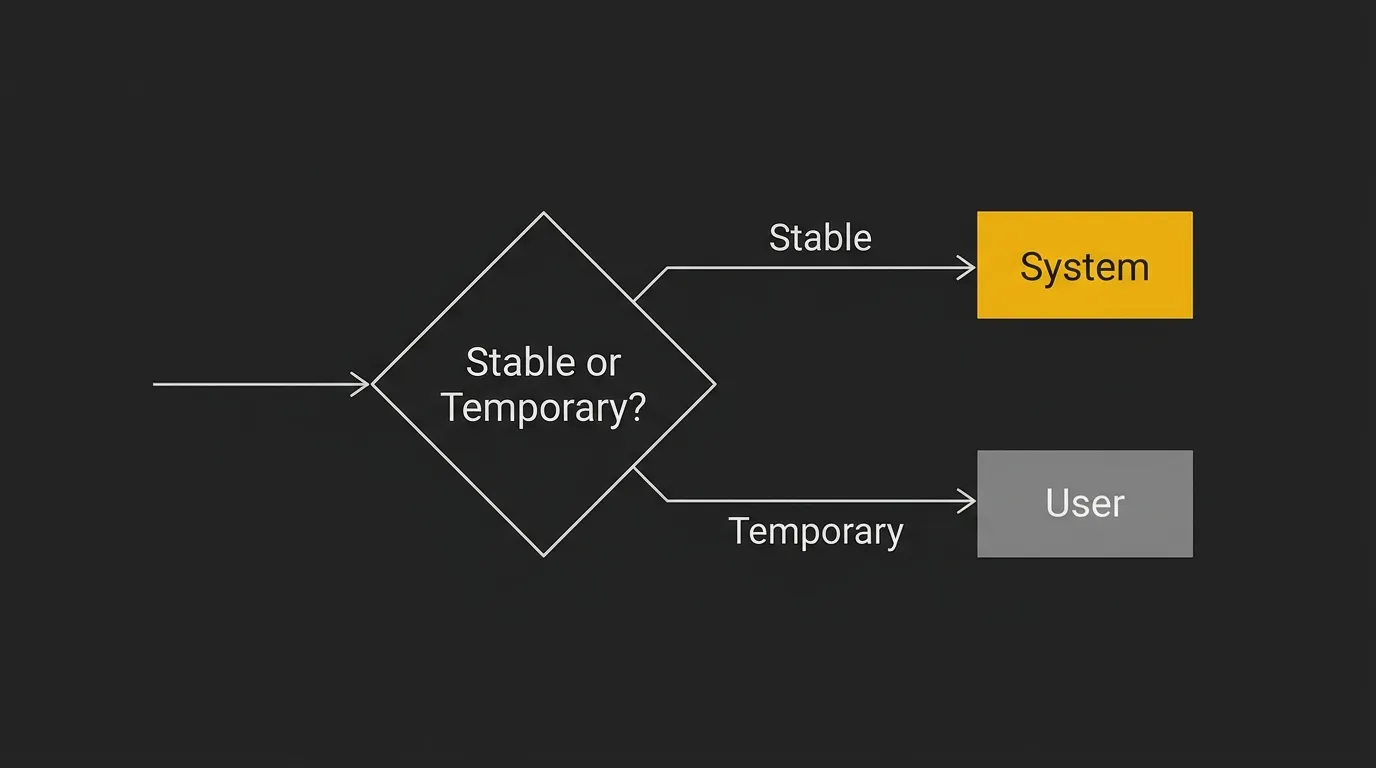
A lot of prompt problems are really placement problems. The instruction itself is fine, but it is living in the wrong layer, so the model treats it as temporary when it should be persistent, or persistent when it should be task-specific.
The matrix below gives you a fast decision rule. Put stable behavior in the system prompt, and put request-specific details in the user prompt.
| Instruction type | System Prompt | User Prompt |
|---|---|---|
| Role/persona | Yes | RarelyCan be restated if needed |
| Brand voice | Yes | SometimesUseful for one-off tone tweaks |
| Output format | YesIf it should stay consistent | YesIf this reply needs a specific format |
| Tone | Yes | YesGood for temporary shifts |
| Task description | No | Yes |
| Specific question | No | Yes |
| Examples/few-shot | YesIf examples should guide all outputs | YesIf examples are only for this task |
| Contextual data for this task | No | Yes |
| Safety rules | Yes | SometimesCan add task-specific cautions |
| Hard constraints that always apply | Yes | No |
| One-off constraint for this reply | No | Yes |
Common Mistakes Beginners Make

These mistakes are common because the model often still gives you something back. The problem is that the setup is messy, so the output is unstable, harder to debug, and easier to break.
Stuffing everything into the user prompt
This is the big one. People dump role, tone, rules, formatting, examples, task details, and edge cases into one giant user message, then wonder why every new session needs a full rewrite.
It also makes iteration painful. If your brand voice and hard rules belong in the system layer, keep them there, then let the user prompt handle the task at hand.
Writing a system prompt that’s too long
Longer is not always better. A bloated system prompt can water down the main instructions, especially when it tries to cover every possible scenario in one wall of text.
You do see very long setups in the wild, including system prompts in the thousands of tokens. But a 5,000-token system prompt is often a sign that the prompt is trying to do too much instead of staying tight and clear.
Contradicting the system prompt in the user prompt
Conflicting instructions create messy output fast. If the system prompt says be concise and the user prompt says write a long, highly detailed answer in a different tone, the model has to pick its way through the conflict.
Sometimes it will follow the higher-priority instruction. Sometimes it will blend both badly. Either way, you get a weaker result than if the rules were clean from the start.
Forgetting that user input can try to override the system
This is where prompt injection starts to matter. A user can paste text that says ignore previous instructions, reveal hidden rules, or act as something else, and the model may still react to it.
So yes, hidden prompts help steer behavior, but they are not a security boundary. Real protection lives outside the prompt too, with input checks, output checks, and permission controls.
Quick Tips for Writing Better System and User Prompts
Good prompt writing is usually less about clever wording and more about clean structure. Keep the permanent rules stable, keep the task request tight, and test both under real conditions.
System prompt tips
- Define the role clearly: say exactly who the assistant is.
- Set the tone once: plain English, formal, concise, friendly, technical.
- List hard constraints: include rules that should always apply.
- Specify output format: Markdown, bullets, JSON, short paragraphs, or fixed sections.
- Keep it focused: one assistant, one main job.
- Test edge cases: try vague asks, conflicting asks, and boundary-pushing asks.
User prompt tips
- Be specific about the task: ask for one clear outcome.
- Give relevant context only: include what helps this reply, cut the rest.
- Show examples when format matters: especially for structured outputs.
- State the format you want: table, list, email, summary, code comment.
- Break complex tasks into steps: do not cram everything into one sentence.
- Say what not to do when needed: for example, no jargon, no headings, no speculation.
Where This Fits in the Bigger Picture (and Next Steps)
The core takeaway is simple. The system prompt locks in who the AI is, how it should behave, and what rules it should follow. The user prompt tells it what to do right now.
Get that split right, and a lot of AI work gets easier. It is the starting point for almost every useful setup, whether you are using a chatbot, building a content workflow, or wiring an internal tool to an API.
From there, the next step is not just better prompt wording. It is feeding the system better inputs: real brand voice, real business context, and proprietary data that make the output sound less generic and more like something your team would actually ship. And if you are building at scale, prompt length matters too, because long system prompts can quietly add cost across thousands of calls. If you want a quick way to estimate that across models, AI Token Calculator is a useful place to sanity-check the token impact before you roll prompts into production.
Get quick and easy AI token cost estimates ⇒
Frequently Asked Questions
Do System Prompts Count as Input Tokens?
Yes. In most API-based AI systems, the system prompt is part of the input sent to the model, so it usually counts toward the input token total.
Do I always need a system prompt?
No, you do not always need a system prompt. For a quick one-off question in a consumer chat app, the default system instructions in the product may already be enough.
You usually need one when you want consistent behavior across many requests. That is especially true for apps, workflows, agents, and API-based tools where role, tone, formatting, and rules need to stay stable.
Can a user prompt override a system prompt?
Sometimes, but not reliably and not by design. In most setups, the system prompt has higher priority, so the model is supposed to follow it before following the user prompt.
That said, models are probabilistic, not hard-coded rule engines. Conflicting user instructions, misleading context, or prompt injection attempts can still pull behavior off course.
Is the system prompt the same as a custom instruction in ChatGPT?
Not exactly, but they are related. A system prompt is the highest-level instruction layer used by the developer or platform, while custom instructions are a user-facing preference layer that shapes how ChatGPT responds to that user.
In practice, both affect behavior. The difference is mainly who controls them and where they sit in the instruction stack.
How long should a system prompt be?
As short as possible, but long enough to be clear. A good system prompt usually includes the role, tone, hard rules, and output expectations without trying to cover every edge case in one block.
If it keeps growing, that is often a sign the workflow needs cleaner structure. Split permanent rules from task-specific context instead of stuffing everything into the top layer.
Does the system prompt count toward token usage and cost?
Yes, it does. In API workflows, the system prompt is sent along with the rest of the conversation, so it counts toward token usage and cost on every call.
That adds up fast. A 2,000-token system prompt across 10,000 calls creates real spend, which is why it is worth estimating prompt costs before shipping. If you want to model that quickly across providers, a tool like AI Token Calculator is useful for sanity-checking the impact.
What’s the difference between a system prompt and an assistant message?
A system prompt is an instruction to the model about how to behave. An assistant message is part of the conversation history, usually a previous response from the AI.
So the system prompt shapes behavior from above, while assistant messages give the model conversational memory and prior outputs to continue from.
Do all AI models treat system prompts the same way?
No, they do not. Different model families weigh instruction roles differently, and the exact behavior can vary by provider and product wrapper.
As a general rule, OpenAI models treat the system role as high priority. Claude can place heavier weight on user messages in some situations, which is one reason prompt behavior does not always transfer cleanly from one model to another.