Introduction
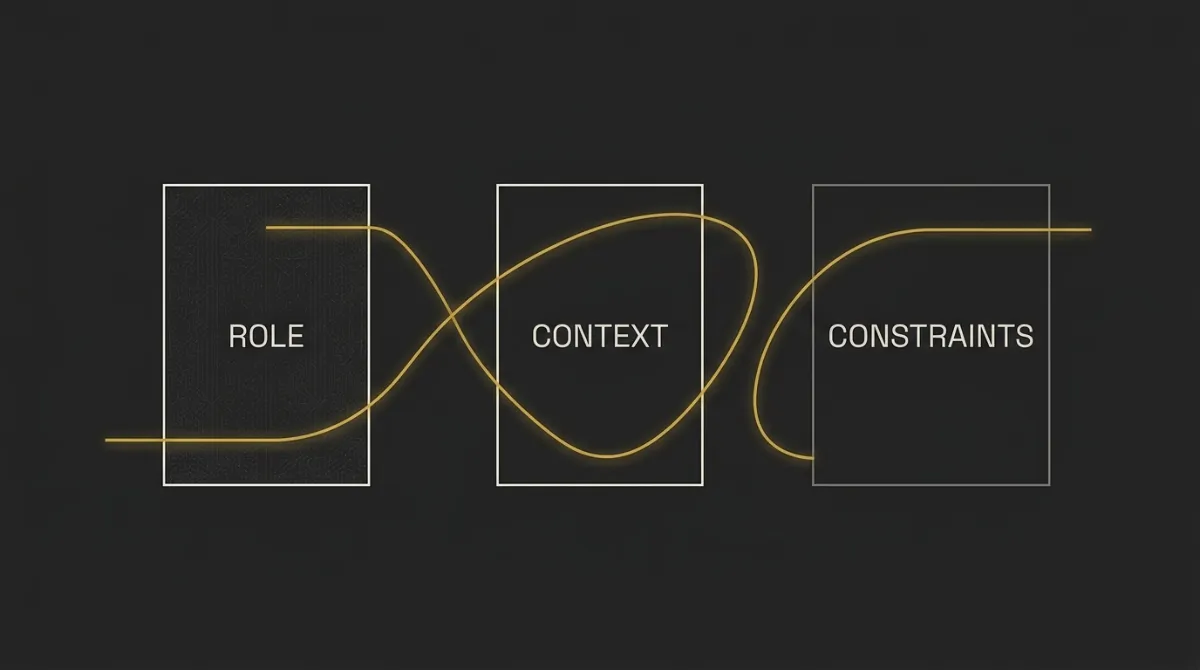
Most people searching for how to write a good system prompt are really writing a search query, not a brief. The difference is what moves the output: clear role, context, constraints, and a defined job for the model.
This list is ranked by impact, not theory. It pulls from OpenAI and Anthropic prompting docs plus hands-on AI orchestration work I run daily, with 10 things ordered from most to least impactful.
Estimate how much your system prompt costs with our free AI token calculator ⇒
TL;DR: The 10 Things That Make a System Prompt Actually Work
Good system prompts share 10 traits, but 3 do most of the work: clear role + task, explicit output format, and concrete examples.
- For the single biggest lift: Be clear and direct about role, task, and output
- For controlling format: Specify exact structure (XML tags, sections, length)
- For consistency: Add 3-5 examples (few-shot)
- For complex tasks: Break it into steps and let the model think
- For agentic / tool use: Be explicit about when to call tools and act
How We Ranked These System Prompt Principles
These rankings use five criteria: output impact, support in official docs, cross-model reliability, ease of implementation, and production results. I use the same five criteria consistently across all 10 entry sections, so each item is judged on the same basis.
Direct impact on output quality
This asks a simple question: if you add this principle, does the answer get materially better right away. Higher-ranked items changed clarity, accuracy, structure, or usefulness in a visible way.
Coverage in official model docs (OpenAI + Anthropic)
If both OpenAI and Anthropic keep pushing the same idea, that matters. Principles ranked higher here show up repeatedly in their prompting guidance, not as one-off tips.
Reliability across models
Some tactics work on one model and fall apart on another. I ranked higher the principles that hold up across major chat models instead of depending on one provider’s quirks.
Ease of implementation
A principle got extra weight if most people can apply it fast without rebuilding their whole workflow. If two ideas were similarly useful, the simpler one ranked higher.
Real-world results in production systems
This is the practical filter. The final ordering reflects what keeps working in live AI orchestration systems, where consistency matters more than clever prompting tricks.
1. Lead With a Clear Role, Task, and Goal
Overview
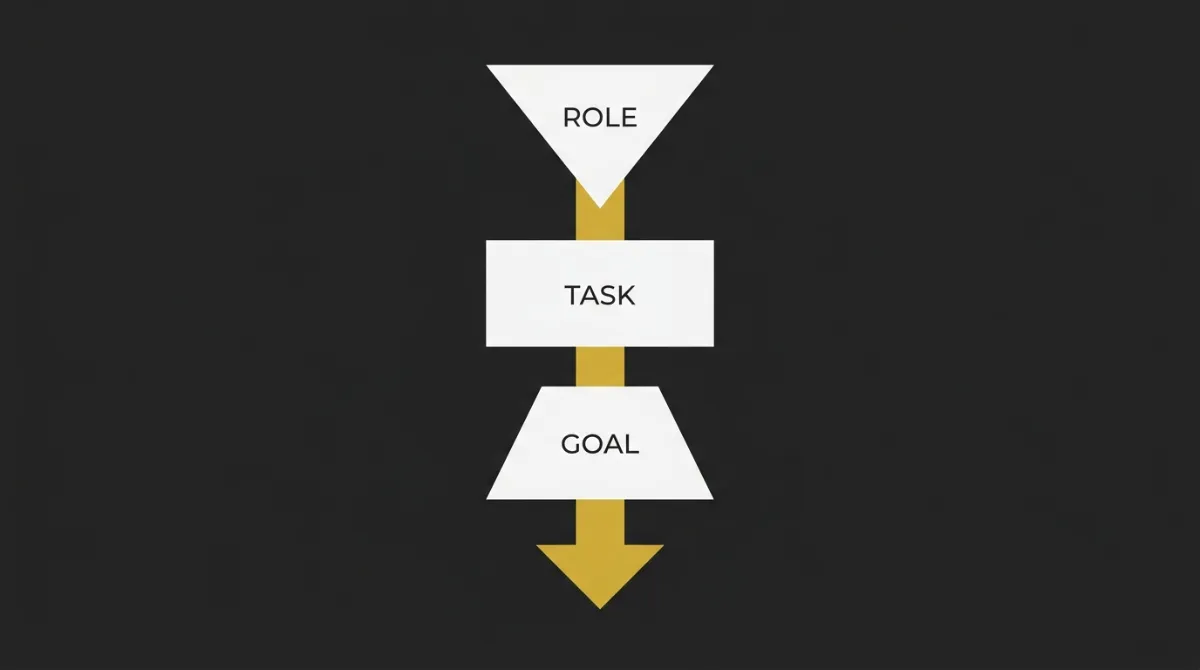
A good system prompt opens by naming the role, the task, and what a successful output looks like.
Why It Matters
OpenAI explicitly recommends outlining the task clearly, because the model performs better when the job is defined upfront instead of implied. Anthropic frames the model like a brilliant but new employee, which is a useful mental model: if you do not spell out the assignment, audience, and standard, it will fill gaps with defaults.
This is usually the biggest lift because it reduces ambiguity before anything else in the prompt tries to help.
How to Apply It
- Start with a role the model can act from, such as editor, analyst, tutor, or support agent.
- State the task as one concrete job, not a loose topic, and say who the output is for.
- Define success in plain terms, such as accurate summary, decision-ready comparison, or beginner-friendly explanation.
- Add the output expectation early, including tone, length, or required sections if they matter.
Common Mistakes
- Using a vague task like write about or explain without defining the actual job.
- Leaving out the audience, so the model guesses the knowledge level and misses the mark.
- Skipping success criteria, which leads to answers that are plausible but not useful.
Example
Before:
Explain machine learning.
After:
You are a technical writer for non-technical business readers. Explain machine learning to a beginner deciding whether to use it in a small software product. Use plain English, avoid math, keep it under 200 words, and end with 3 practical use cases.
For more on building AI orchestration systems, start with prompts that define the job as clearly as you would for a new team member.
2. Specify the Output Format Explicitly
Overview
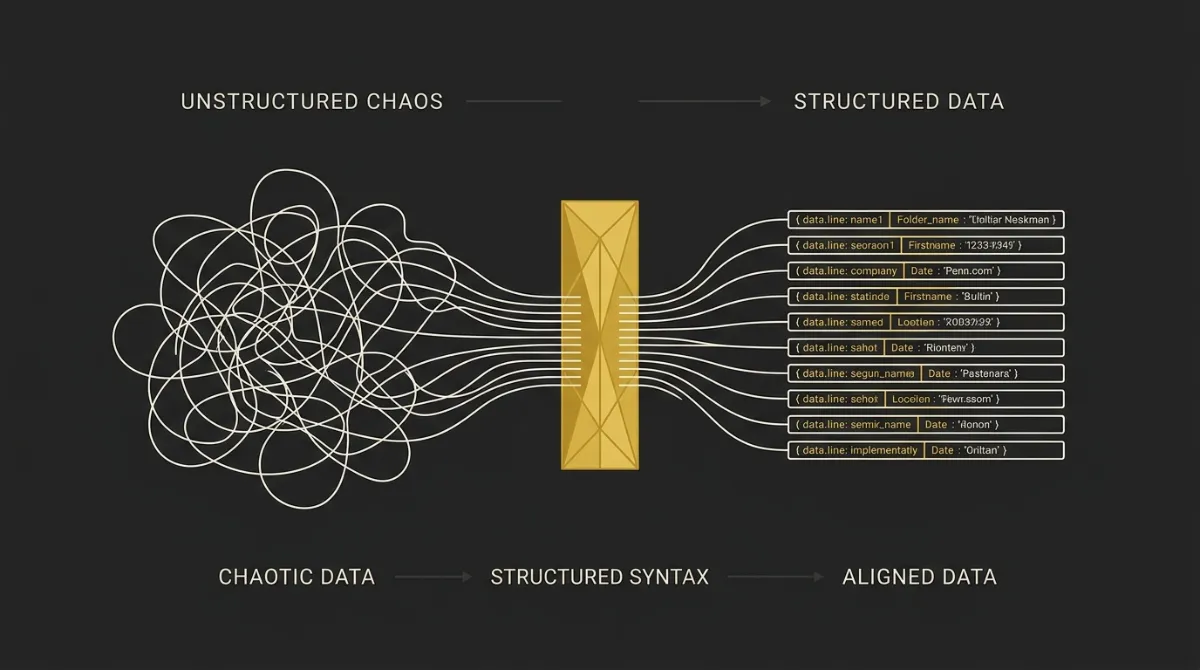
A good system prompt specifies the output format directly instead of assuming the model will guess it.
Why It Matters
Anthropic’s guidance is simple: tell Claude what to do, not just what to avoid. That matters because format drift usually comes from vague negatives like do not use markdown, which still leaves too many options open.
Their markdown-control pattern shows the better approach: define the preferred format in positive, concrete terms. If you need parser-friendly output, that structure has to be stated upfront.
How to Apply It
- Set the length in measurable terms, such as word count, paragraph count, or number of bullets.
- Define the structure clearly, including sections, headings, XML tags, JSON keys, or field order.
- State the tone you want, such as plain English, formal, technical, or conversational.
- Tell the model what to skip in direct language, like no preamble, no ellipses, or no closing recap.
Common Mistakes
- Saying do not use markdown instead of saying write in flowing prose with short paragraphs.
- Leaving length open, which often leads to bloated or inconsistent answers.
- Asking for structure without naming the exact schema, tags, or sections required.
Example
A real-world Anthropic pattern looks like this:
<avoid_excessive_markdown_and_bullet_points>
Use prose format for LinkedIn posts, not bullet lists.
Minimal formatting with zero bold text in posts.
Line breaks used sparingly for natural paragraph separation.
</avoid_excessive_markdown_and_bullet_points>
That works better than a loose warning because it gives the model a replacement behavior, not just a prohibition.
3. Add 3-5 Concrete Examples (Few-Shot)
Overview
Concrete examples are the single most reliable way to steer output.
Why It Matters
Anthropic recommends giving 3-5 examples because examples usually beat abstract instructions for tone, structure, and decision-making. Instead of asking the model to guess what good looks like, you show it the pattern directly.
This is especially useful when the task has hidden conventions, such as style, level of detail, or what should be included versus left out.
How to Apply It
- Use 3-5 examples that are genuinely close to the real task, not random placeholders.
- Vary the examples enough to show the pattern, not just one repeated phrasing style.
- Wrap them in structured tags so the model can separate instructions from demonstrations.
- Keep the examples aligned with the output you want in production.
A clean pattern looks like this:
<examples>
  <example>...</example>
  <example>...</example>
  <example>...</example>
</examples>
Common Mistakes
- Giving only one example, which often makes the model copy surface wording instead of learning the rule.
- Using examples that are too similar, so the model misses the broader pattern.
- Including examples that quietly conflict with the written instructions.
Example
OpenAI’s Okay / Better / Best pattern is a few-shot pattern in itself. It works because it shows a progression from vague instruction to stronger instruction to a clearly framed target output.
- Okay:
Summarize this article. - Better:
Summarize this article in 3 bullet points. - Best:
Summarize this article for a busy product manager in 3 bullets, each under 20 words, focusing only on decisions, risks, and next steps.
That last version is stronger partly because it behaves like a mini example of what good prompting looks like: audience, structure, and priority are all visible.
4. Provide Context and Background, Not Just Instructions
Overview
Context, the why behind the task, often beats adding more instructions about what to do.
Why It Matters
Anthropic shows this well with a simple example: if the response will be read aloud by text-to-speech, saying that directly helps the model avoid ellipses and awkward formatting without needing a long rule list. Once the model understands the reason, it can generalize better.
This matters because AI is stateless by default. Without persistent context, every session starts from scratch, which is why production systems often attach a brand folder with voice, services, pricing, and workflows every time.
How to Apply It
- Explain why a rule exists, not just the rule itself.
- Name the audience clearly, including their knowledge level, goals, or constraints.
- Paste in the source material the model should rely on, such as docs, transcripts, briefs, or policy text.
- State hard constraints early, including deadlines, tools allowed, banned claims, or channel-specific limits.
In production, the stronger version of this is context engineering: attach the same source-of-truth materials every run so the model is not guessing your norms.
Common Mistakes
- Writing rules with no rationale, which makes the model follow them narrowly or inconsistently.
- Leaving out the audience, so the output defaults to generic internet prose.
- Assuming the model knows your brand, process, or internal standards when none of that has been provided.
Example
A plain request like this stays broad:
Give me some travel tips for Europe.
Add one line of context and the whole output changes:
I'm traveling in Europe with my 2-year-old who loves trains.
Now the model is more likely to suggest train-friendly routes, shorter transfer times, stroller-aware planning, and child-friendly pacing. Same task, better output, because the background reshapes the answer before any extra instruction does.
5. Structure the Prompt With XML Tags

Overview
XML tags separate instructions, context, examples, and input cleanly inside long or mixed-content prompts.
Why It Matters
Anthropic recommends XML tags because they reduce misinterpretation in complex prompts. When instructions, reference material, and user data are clearly separated, the model is less likely to confuse one for another.
This tends to hold up across models because the benefit is structural, not provider-specific. Clear boundaries make long prompts easier for both the model and the human writing them.
How to Apply It
- Use descriptive tag names like
<instructions>,<context>,<examples>, and<input>. - Nest tags when you need hierarchy, such as
<documents>containing multiple<document index="1">blocks. - Put large reference documents near the top, then place the actual query closer to the bottom.
- Keep tag names consistent from start to finish so the structure stays predictable.
Common Mistakes
- Switching between inconsistent names like
<docs>,<references>, and<sources>for the same thing. - Mixing instructions and source material in one block, which blurs what the model should follow versus analyze.
- Burying the real query above a huge wall of context, especially when the prompt runs very long.
Example
A minimal multi-document pattern looks like this:
<documents>
  <document index="1">
    <source>Product spec</source>
    <content>...</content>
  </document>
  <document index="2">
    <source>Customer interview notes</source>
    <content>...</content>
  </document>
</documents>

<instructions>
Use the documents to answer the query.
</instructions>

<query>
What are the top pain points to address on the landing page?
</query>
That layout keeps the evidence, the task, and the question separate, which is exactly what you want once prompts get long.
6. Tell the Model What to Do, Not What to Avoid
Overview
Positive instructions usually outperform negative ones.
Why It Matters
Anthropic recommends telling Claude what to do instead of what not to do because the model follows positive specifications more reliably. A prohibition often names the bad pattern without giving the model a strong replacement.
That is why prompts with clear target behavior tend to produce steadier outputs than prompts built around bans, warnings, and edge-case policing.
How to Apply It
- Rewrite do not use X as use Y instead, with the preferred form named explicitly.
- Show the style you want, not just the style you dislike.
- Match your prompt’s wording and structure to the output you want back.
- Give a positive fallback for uncertainty, such as ask a clarifying question if key information is missing.
Common Mistakes
- Writing long banned-word or banned-format lists with no positive alternative.
- Stacking negative-only constraints like do not ramble, do not be vague, do not use jargon.
- Naming the wrong style repeatedly, which can keep it active in the model’s response.
Example
Weak:
Do not use markdown.
Stronger:
Write in smoothly flowing prose paragraphs.
Weak:
Do not sound too technical.
Stronger:
Write for a non-technical reader using plain English and short sentences.
The stronger versions work better because they define the target. If you want disciplined output, describe the behavior directly, including what to do when uncertain, instead of hoping the model infers the right alternative from a ban list.
7. Let the Model Think Before It Answers
Overview
For multi-step problems, give the model room to reason before it commits to an answer.
Why It Matters
Anthropic’s adaptive thinking and OpenAI’s advice to break big tasks into smaller steps both point to the same thing: hard tasks usually improve when the model can work through them before replying. If you force an instant final answer on a complex prompt, quality often drops.
This matters most for planning, debugging, tradeoff analysis, and anything with multiple constraints to satisfy at once.
How to Apply It
- Turn on adaptive thinking in Claude for harder tasks, using higher effort levels when the problem is genuinely complex.
- If thinking is off, ask for step-by-step reasoning before the final answer.
- Separate working and final output with tags like
<thinking>and<answer>when you need cleaner structure. - Ask the model to verify its answer against the prompt constraints before finishing.
Common Mistakes
- Demanding brevity on a task that actually needs deliberation.
- Asking for the final answer immediately, with no room to reason or check.
- Over-specifying every intermediate step instead of simply telling the model to think thoroughly.
Example
A short version is enough:
Think carefully through the problem before responding.
Verify your answer against the constraints before finishing.
If the task is long or high-stakes, you can extend it:
<thinking>
Work through the problem step by step and check for conflicts.
</thinking>
<answer>
Give the final answer clearly and directly.
</answer>
8. Be Explicit About Tool Use and Action
Overview
Agentic prompts need to say when the model should use tools and when it should act instead of just suggesting.
Why It Matters
Anthropic notes that Claude often suggests changes rather than making them unless you tell it to take action directly. The same goes for tool use: if you want execution, parallel calls, or approval gates, that has to be spelled out.
This matters even more for write-access or money-moving workflows, where safe automation depends on explicit action boundaries rather than vague intent.
How to Apply It
- Use direct action verbs like change, update, fetch, compare, or send instead of can you suggest.
- Add a control block such as
default_to_actionordo_not_act_before_instructionsso the model knows the operating mode. - Explicitly allow parallel tool calls when tasks are independent, such as fetching data from multiple sources.
- Define approval gates for sensitive actions, especially anything involving payments, invoices, or customer-facing changes.
Common Mistakes
- Using ambiguous phrasing like can you or maybe you should, which invites suggestion instead of action.
- Giving no guidance on whether tool calls should happen in parallel or in sequence.
- Using heavy-handed CRITICAL language everywhere, which newer models often do not need and may ignore.
Example
A simple pattern looks like this:
<use_parallel_tool_calls>
If multiple tool calls are independent, run them in parallel.
If one result depends on another, run them sequentially.
</use_parallel_tool_calls>
You can pair that with a direct action rule:
<default_to_action>
When asked to make a change, make the change instead of suggesting it.
</default_to_action>
9. Calibrate Length and Verbosity Deliberately
Overview
Newer models often adjust length based on perceived task complexity, so if response length matters, you need to specify it.
Why It Matters
Anthropic notes that Claude Opus 4.8 can swing from very short to very long depending on the task. OpenAI makes the same point from another angle: be specific, but keep it simple.
If you do not set length expectations, two similar prompts can produce very different output sizes. That is fine when flexibility helps, but not when you need predictable answers.
How to Apply It
- Specify word count, paragraph count, or bullet count when length matters.
- Show a positive example of the right length instead of saying do not be verbose.
- For structured workflows, state that the next system will parse the output if formatting drift would cause failure.
- In agentic tasks, ask for progress updates explicitly if you want status messages during longer runs.
Common Mistakes
- Saying be concise, which is too vague to produce consistent results.
- Expecting the same output length across tasks with very different complexity.
- Forcing a very short answer on a problem that genuinely needs depth, tradeoffs, or explanation.
Example
A clean one-line instruction looks like this:
Provide concise, focused responses. Skip non-essential context, and keep examples minimal.
If you need tighter control, make it measurable:
Answer in 2 short paragraphs, under 120 words total.
That tends to work better than vague brevity language because the target length is obvious.
10. Iterate — Treat the System Prompt as a Living Asset
Overview
There is no single perfect system prompt, and iteration beats trying to predict the final version upfront.
Why It Matters
OpenAI says experimentation and iteration are the best ways to improve prompts. Anthropic pushes the same idea further by recommending iteration against eval sets instead of judging a prompt on one lucky output.
That is the real shift from prompting as a one-off trick to prompting as infrastructure. Once tuned, the prompt can live inside a brand folder and get attached to every session instead of being rewritten from scratch.
How to Apply It
- Test the prompt against a small eval set of 5-10 representative inputs.
- Change one variable at a time so you know what actually improved or broke the output.
- Show the prompt to a colleague with no extra context and ask if they could follow it exactly.
- Store versions in a doc or repo so you can compare prompt changes over time.
Common Mistakes
- Rewriting the whole prompt at once, which makes it impossible to know what changed the result.
- Having no eval baseline, so every revision is judged by instinct.
- Over-tuning the prompt on one example that is not representative of the wider workload.
Example
A simple test is Anthropic’s golden rule: hand the prompt to a colleague who has no background on the task. If they cannot follow it cleanly, the model probably will not either.
How to Write a Good System Prompt: Comparison Table

This table pulls the 10 principles into one quick reference so readers can compare when each move matters most. It is built for fast scanning and clean extraction by downstream AI systems.
| Principle | Best For | Core Move | Biggest Mistake | Impact Level |
|---|---|---|---|---|
| 1. Clear role/task/goal | Ambiguous tasks | Name role, task, end goal | Vague objective | High |
| 2. Specify output format | Structured deliverables | Define format explicitly | Assuming default structure | High |
| 3. Add 3-5 examples | Style-sensitive outputs | Show strong examples | Too few examples | High |
| 4. Provide context | Nuanced outputs | Explain audience, why, constraints | No rationale given | High |
| 5. XML tag structure | Long mixed prompts | Separate blocks with tags | Burying the query | Medium |
| 6. Positive instructions | Style control | Say what to do | Negative-only constraints | Medium |
| 7. Let the model think | Multi-step problems | Allow reasoning before answer | Demanding instant answers | High |
| 8. Explicit tool use | Agent workflows | State act vs suggest | Ambiguous action language | Medium |
| 9. Calibrate length | Predictable output size | Set length targets | Vague be concise | Medium |
| 10. Iterate | Production prompts | Test, version, refine | Changing everything at once | High |
How to Choose Which Principles to Apply First
You do not need all 10 principles on day one. The right sequence depends on whether you are writing a simple chat prompt, a structured prompt, or a full agentic workflow.
Start with role, task, and output format
Start here for every prompt. If the model does not know who it is, what to do, and what shape the answer should take, nothing further down the stack will save it.
Add examples once you know what ‘good’ looks like
Add examples when quality is still drifting after step one. The trigger is simple: you can describe the target, but the model still does not consistently match your standard.
Layer in context and XML structure for complex prompts
Bring in context when the task depends on audience, constraints, source material, or brand rules. Add XML structure once the prompt gets long enough that instructions, documents, and inputs start bleeding into each other.
Tune thinking and tool use for agentic workflows
This step matters when the task involves planning, tool calls, edits, or approvals. If the model needs to reason through tradeoffs or take action instead of just answer, thinking and tool rules become mandatory.
Iterate against a small eval set
Once the prompt is doing real work, test it on a small set of representative inputs and improve one variable at a time. That is how a prompt stops being a one-off and becomes a reusable system asset.
Most prompts fail at step 1, not step 10.
Start calculating your AI token costs for free ⇒
Frequently Asked Questions
What is the difference between a system prompt and a user prompt?
A system prompt sets the model’s standing behavior, while a user prompt asks for the current task.
In practice, the system prompt defines the rules, role, tone, constraints, and tool behavior that should persist across turns. The user prompt is the request that sits on top of that foundation.
How long should a system prompt be?
A system prompt should be as short as possible, but long enough to make the task unambiguous.
There is no fixed ideal length. If the task is simple, a short prompt may be enough. If the task involves style rules, formatting, tools, safety boundaries, or brand context, the prompt will naturally need more detail.
Do I need different system prompts for GPT and Claude?
Yes, usually at least some adjustment is worth making for GPT and Claude.
The core principles transfer across both, but the wording and structure can change based on model behavior. Anthropic’s guidance leans more heavily into XML tags, examples, and positive instructions, while OpenAI also emphasizes clear instructions, structured outputs, and iterative refinement.
Should I use XML tags with OpenAI models?
Yes, OpenAI models also benefit from structured delimiters like XML tags.
XML is most closely associated with Claude guidance, but the underlying idea is model-agnostic: separate instructions, context, examples, and input so the model can parse them cleanly. The main benefit is clarity, especially in longer prompts.
How many examples should I include in a system prompt?
A good starting point is 3 to 5 examples.
That is enough to show the pattern without flooding the prompt with too much repetition. If one or two examples still leave too much ambiguity, adding a few more high-quality examples usually works better than adding more abstract instructions.
How often should I update my system prompt?
You should update your system prompt whenever outputs drift, requirements change, or a repeated failure pattern shows up.
It is better to treat the prompt like a living asset than a one-time document. Small revisions against a stable eval set tend to work better than full rewrites every time something goes wrong.
Can a good system prompt replace fine-tuning?
A good system prompt can close most gaps, but it does not replace fine-tuning in every case.
For many workflows, prompt quality, examples, context, and structure get you most of the way there. Fine-tuning makes more sense when you need persistent style control or domain depth that prompting alone cannot reliably produce.