
Anthropic prompt caching pricing: read and write costs are asymmetric. Writing a prompt prefix into the cache costs more than a normal input token, while reading that same prefix back costs a fraction, so caching only pays once the same material gets reused enough times. If you’re a developer deciding whether to turn prompt caching on for a real app, the question isn’t whether caching sounds efficient; it’s whether the math clears break-even for your traffic pattern.
This page gives you that math directly: the three prices involved, the reuse count where the extra write cost gets paid back, and the cases where prompt caching still loses money. The numbers matter, but so does trust, so the arithmetic here follows the same provider-neutral approach an invoice audit tool should have: official published rates in, no provider sponsorship, and no guessing where your cost actually lands.
Estimate AI token costs before they cost you ⇒
The Short Answer on Caching Cost
Writing to the cache costs more than a normal input token, reading from it costs a small fraction, and caching only saves money once the same cached prefix is reused enough times to beat that upfront write premium.

Using the Anthropic multipliers provided for this article, cache write cost is 1.25x the base input price and the cache read discount is 0.1x the base input price, which makes a cache miss 12.5 times as expensive as a cache hit for the same prefix. In plain terms, a cached segment needs to be read more than once to start paying back, and on a large repeated prefix like 50,000 tokens, that gap compounds fast on every turn (especially if a tool definition changes and invalidates everything below it).
What Prompt Caching Actually Does
Prompt caching reuses a computed prompt prefix instead of making the model process that same prefix again on every request. In practice, the provider stores the reusable front part of the prompt, then applies it again when a later request starts with that exact same sequence.
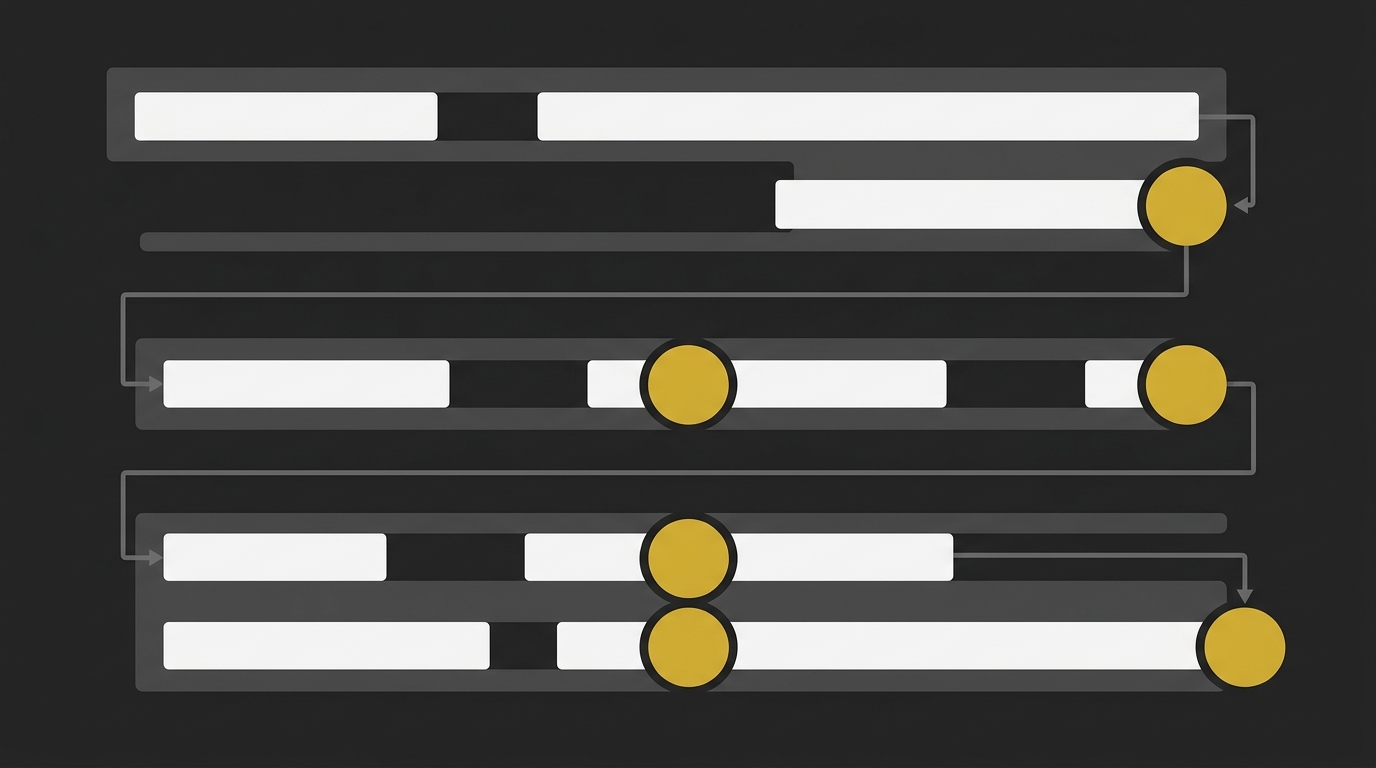
So this is how prompt caching works at a high level: the repeated prefix gets computed once, and only the new tail of the request needs fresh processing. The important detail for the rest of the math is simple, the reusable part has to be at the start of the prompt, not scattered across different content blocks.
What counts as a cacheable segment
A cacheable segment is the stable prefix at the beginning of the request. That usually means the system prompt, tool definitions, and any long static context that stays unchanged across calls, like documentation, policies, or reference content blocks.
The cache only hits when that prefix matches exactly. If the cached section changes early, even by inserting variable text before the cache breakpoint, the provider has to process that prefix again instead of reusing it.
Why static content goes first
Static content goes first because the cache boundary can only sit after one unbroken identical prefix. Put the stable system instructions, tools, and long-lived content blocks first, then place the variable user input or session-specific data after the cache breakpoint.
This ordering rule matters more than people expect. If dynamic content shows up too early, it can stop reuse of otherwise identical prompt sections, so the same token volume still behaves like a cache miss.
The Three Prices: Input, Cache Write, Cache Read
Anthropic pricing for prompt caching has four distinct token rates per model: ordinary input, 5-minute cache write, 1-hour cache write, and cache read. The pattern is consistent across the current Claude models in this dataset: cache writes cost more than fresh input, while cache reads are much cheaper.

| Claude model | Rate type | Price per million tokens | Multiplier vs base input |
|---|---|---|---|
| Claude Fable 5 | Ordinary input | $10.00 | 1.00x |
| Claude Fable 5 | 5-minute cache write | $12.50 | 1.25x |
| Claude Fable 5 | 1-hour cache write | $20.00 | 2.00x |
| Claude Fable 5 | Cache read / hit | $1.00 | 0.10x |
| Claude Mythos 5 | Ordinary input | $10.00 | 1.00x |
| Claude Mythos 5 | 5-minute cache write | $12.50 | 1.25x |
| Claude Mythos 5 | 1-hour cache write | $20.00 | 2.00x |
| Claude Mythos 5 | Cache read / hit | $1.00 | 0.10x |
| Claude Opus 5 | Ordinary input | $5.00 | 1.00x |
| Claude Opus 5 | 5-minute cache write | $6.25 | 1.25x |
| Claude Opus 5 | 1-hour cache write | $10.00 | 2.00x |
| Claude Opus 5 | Cache read / hit | $0.50 | 0.10x |
| Claude Sonnet 5 | Ordinary input | $2.00 | 1.00x |
| Claude Sonnet 5 | 5-minute cache write | $2.50 | 1.25x |
| Claude Sonnet 5 | 1-hour cache write | $4.00 | 2.00x |
| Claude Sonnet 5 | Cache read / hit | $0.20 | 0.10x |
| Claude Haiku 4.5 | Ordinary input | $1.00 | 1.00x |
| Claude Haiku 4.5 | 5-minute cache write | $1.25 | 1.25x |
| Claude Haiku 4.5 | 1-hour cache write | $2.00 | 2.00x |
| Claude Haiku 4.5 | Cache read / hit | $0.10 | 0.10x |
| Claude Opus 4.8 | Ordinary input | $5.00 | 1.00x |
| Claude Opus 4.8 | 5-minute cache write | $6.25 | 1.25x |
| Claude Opus 4.8 | 1-hour cache write | $10.00 | 2.00x |
| Claude Opus 4.8 | Cache read / hit | $0.50 | 0.10x |
| Claude Opus 4.7 | Ordinary input | $5.00 | 1.00x |
| Claude Opus 4.7 | 5-minute cache write | $6.25 | 1.25x |
| Claude Opus 4.7 | 1-hour cache write | $10.00 | 2.00x |
| Claude Opus 4.7 | Cache read / hit | $0.50 | 0.10x |
| Claude Opus 4.6 | Ordinary input | $5.00 | 1.00x |
| Claude Opus 4.6 | 5-minute cache write | $6.25 | 1.25x |
| Claude Opus 4.6 | 1-hour cache write | $10.00 | 2.00x |
| Claude Opus 4.6 | Cache read / hit | $0.50 | 0.10x |
| Claude Sonnet 4.6 | Ordinary input | $3.00 | 1.00x |
| Claude Sonnet 4.6 | 5-minute cache write | $3.75 | 1.25x |
| Claude Sonnet 4.6 | 1-hour cache write | $6.00 | 2.00x |
| Claude Sonnet 4.6 | Cache read / hit | $0.30 | 0.10x |
| Claude Sonnet 4.5 | Ordinary input | $3.00 | 1.00x |
| Claude Sonnet 4.5 | 5-minute cache write | $3.75 | 1.25x |
| Claude Sonnet 4.5 | 1-hour cache write | $6.00 | 2.00x |
| Claude Sonnet 4.5 | Cache read / hit | $0.30 | 0.10x |
| Claude Opus 4.5 | Ordinary input | $5.00 | 1.00x |
| Claude Opus 4.5 | 5-minute cache write | $6.25 | 1.25x |
| Claude Opus 4.5 | 1-hour cache write | $10.00 | 2.00x |
| Claude Opus 4.5 | Cache read / hit | $0.50 | 0.10x |
Cache writes cost more than base input, while cache reads cost far less.
The Break-Even: How Many Reads Caching Needs to Pay
Caching pays once the same prompt prefix is reused enough times that the upfront write premium is outweighed by the cheaper read price. For Anthropic-style prompt caching, that threshold is low: with the rate pattern covered above, a single cache write is usually earned back after about two reuses of the same prefix.

The formula
The math is simple if you isolate the reusable prefix and ignore output, because caching only changes the price of input tokens. Let B be the normal input rate, W the cache write rate, R the cache read rate, and N the number of requests that use the same cached prefix.
Without caching, total cost for that prefix is:
N × B
With caching, total cost is:
W + N × R
Caching becomes cheaper when:
W + N × R < N × B
So the break-even point is:
W < N × (B - R)
N > W / (B - R)
That gives you the decision rule: divide the one-time write price by the savings per reused request. If the result is 1.4, you need 2 requests. If it is 2.1, you need 3. Round up, because break-even happens only once the cached path is actually cheaper.
The break-even with the live numbers
Using the live Claude pricing pattern already established in s4, the write price is 1.25x the base input rate for the 5-minute cache, and the read price is 0.10x the base input rate. Plug that into the formula:
N > 1.25B / (B - 0.10B)
N > 1.25B / 0.90B
N > 1.388...
So the concrete break-even is 2 requests using the same cached prefix. The first request pays the write cost, and the second reuse is where the cached route drops below paying normal input tokens again.
That’s the part most price-list comparisons miss. A model’s headline token cost doesn’t tell you much about an agentic workload if one option gets strong cache reads and another effectively does not. In measured real-world logs from August 2026, a model with near-total cache hits finished an agentic task for under one cent, while a nominally cheaper competitor with no visible cache discount cost about 50x more for the same passing tests. Price per million matters less than cache behavior once requests start repeating.
When Caching Costs More Than It Saves
Caching loses money in three cases: the reusable prefix is too small, the prompt is not reused enough times, or the cache expires between requests and forces you to pay the write cost again.
Segments too small to matter
A small cached prefix saves too little per read to earn back the write premium. If the reusable front part is only a few hundred tokens, the dollar impact per request is tiny, and some providers also have a minimum cacheable size below which caching does not activate at all. So yes, a prompt can be technically repeatable and still not worth caching.
Single-use and low-reuse prompts
A prompt used once does not save money from caching, full stop. You pay the higher write cost up front, and if later requests never arrive, or arrive fewer times than the break-even threshold covered above, that extra spend was pure overhead. This is common in ad hoc jobs, one-off analyses, and workflows where each request changes too much to hit the same cached boundary.
TTL expiry forcing repeated writes
TTL expiry can turn a good caching setup into a bad one by making scattered requests behave like first-time calls every time. If your traffic is bursty, or a scheduler runs every few minutes past the cutoff, the cached prefix expires between requests and the system writes it again instead of reading it back. In one measured 90-day audit of 568 Claude Code sessions, using the 1-hour TTL instead of 5 minutes was worth about $2,608 in API-list-rate-equivalent savings on identical work, with roughly 330,000 tokens re-sent per turn. That’s why unattended loops, sparse workloads, and long gaps between requests are where caching cost can quietly blow up.
Cache Lifetime and Long Sessions
Cache lifetime is the practical line between a session that keeps saving money and one that quietly falls back into fresh write charges. For long-running work, the key question is simple: do your requests keep arriving inside the cache window, or do they drift past it?
A 5-minute cache can work very well for steady agent loops, back-and-forth debugging, or batch runs fired close together. It usually stops working well when requests are scattered across wider gaps, because each expiry can force another cache write and push your effective cost back up.
5-minute versus 1-hour TTL
The 5-minute TTL is the cheaper cache-write option, and the 1-hour TTL costs more upfront because you’re paying for a longer reuse window. So the choice is not about speed, it’s about cadence.
Use the 1-hour tier when the same cached prefix will be reused regularly beyond 5 minutes, such as human-in-the-loop workflows, review queues, or agent runs that pause between steps. If your requests tend to land every 10, 20, or 40 minutes, the longer window can prevent repeat writes and lower total cost over time. If you want the broader pricing context behind that trade-off, this piece on factors that influence AI token pricing gives the bigger picture.
Do not pay for the 1-hour TTL when your workload already clusters inside 5 minutes, or when reuse is too inconsistent to count on. In that case, the higher write rate buys protection you probably won’t use.
What resets the timer
Reuse inside the TTL refreshes the timer, so steady requests can keep a cache warm without paying another write charge for the same prefix. In a multi-turn conversation, the cache point also moves forward as the conversation grows, which is why active sessions can keep benefiting from earlier cached content.
But don’t assume you can keep a session alive cheaply just by sending light chatter every so often. In practice, that can still produce higher-cost writes on the next turn, and if the cache drops during a gap, the workflow may need to re-cache a large prefix anyway.
So the clean rule is this: design for real reuse, not artificial keep-alives. A warm cache is valuable when it matches actual request patterns, not when you’re forcing traffic just to defend a TTL.
How to Check If Caching Is Working
Caching is working only if your request-level usage data shows cache reads showing up consistently, not just because you added cache settings and assumed the savings followed. The check is simple: inspect the returned usage fields on real requests, compare read activity to full prompt size, and watch for drops that point to invalidation.
The cache fields to log
Log the Anthropic usage fields cache_creation_input_tokens and cache_read_input_tokens on every request. Those two numbers tell you when a prompt prefix was written into cache and when later requests actually read that prefix back instead of paying fresh input cost again.
Also log the full prompt input tokens for the same request, then track cache hit rate as cache reads divided by the full prompt. That ratio is the one number most teams miss, and it catches expensive bugs that don’t show up as failures: a system block with a timestamp, a prompt that mutates between turns, or a tool list rebuilt on every call. The output still looks fine, but the usage pattern tells you the cache is breaking.
A practical logging set for each run is:
- request ID or session ID
- full input tokens
cache_creation_input_tokenscache_read_input_tokens- timestamp
- model name
If you need a quick refresher on where input charges come from, see input token cost basics. That context makes the read-versus-miss pattern much easier to spot in your usage logs.
Why the bill can surprise you
Billing dashboards often lag the real request stream, so the first sign of bad cache behavior may be a spend alert or usage cap email, not a clean spike in the UI. That’s why request-level data matters more than waiting for the dashboard to tell you something went wrong.
And small miss rates can still hit hard on cost. If cache misses are priced far above cache reads, even a low share of non-cached requests can account for a much larger share of spend than the miss rate suggests. Think 2 percent misses, but a much uglier cost jump because those misses are paying fresh input or fresh write pricing on a large prompt.
So the practical rule is simple: monitor requests, not just invoices. One clean hit-rate chart per agent run beats ten billing screenshots after the money is gone.
Estimate Your Caching Costs Before You Build
Estimate the cost before you ship, because prompt caching is a planning decision, not a billing surprise. If your app sends a large, stable prefix to the same model across many repeated requests, cache it. If the prompt is short, used once, or traffic is bursty enough that expiry keeps forcing fresh writes, skip it and pay normal input rates instead. If you want the token basics behind these rate mechanics, start with what a token is in AI large language models.
The arithmetic is available before the build and it takes minutes to run, which is a lot cheaper than reconstructing a bad bill after launch. Use the free AI Token Calculator to compare input, output, and cache-sensitive workloads side by side, then sanity-check whether your planned prompt shape and request pattern actually save money.
Estimate your AI token costs instantly ⇒
Frequently Asked Questions
Does prompt caching change the quality of the response?
Prompt caching does not change response quality by itself. It reuses the computed prompt prefix, so the model doesn’t have to reprocess the same front part of the request, but the actual generation step is still done fresh for each response.
If the cached prefix is identical, the model is working from the same context it would have seen without caching. So the main effect is on cost and latency, not on answer quality.
Is there a minimum prompt length for caching to work?
Yes, prompt caching only works once the cacheable prefix is large enough for the provider to accept it. The exact minimum is provider- and model-specific, so the practical check is whether your requests actually return cache write and cache read fields after you add cache control.
If the reusable prefix is too short, caching may technically be enabled in your code but never produce any real cache activity. That’s why usage logs matter more than assumptions.
Do cached tokens still count against my rate limit?
Yes, cached tokens can still count against rate-limit or quota counters even when they are billed more cheaply. So a cheaper cache read does not automatically mean lighter throughput usage at the account level.
In practice, this is where teams get caught out: billing improves, but request ceilings don’t move the way they expected. Treat cost savings and quota behavior as separate checks.
Why did my cache hit rate suddenly drop to zero?
A cache hit rate can drop to zero when the prefix stopped matching exactly, or when the TTL expired before the next request started. Common break points are hidden changes in the static prefix, like a timestamp, UUID, or even reordered JSON keys.
And yes, expiry alone can do it. With short lifetimes such as 5 minutes, a long streamed response can eat most of the reuse window before the follow-up request even begins.
Does switching models mid-conversation break my cache?
Yes, switching models breaks cache reuse for that conversation path. Cache entries are tied to a specific model version, so a request sent to a different model won’t read the old cached prefix.
That means model routing needs to be deliberate. If you want high reuse, keep the stable prompt prefix paired with one model instead of bouncing between models mid-session.
Can I combine prompt caching with batch processing?
Yes, prompt caching can be combined with batch processing. If the batched requests share the same long, stable prefix, caching can still cut repeated prefix work inside that batch workflow.
The important part is the same as everywhere else: identical reusable prefixes, correct cache boundaries, and logs that confirm reads are actually happening.