The best LLM for coding is the one that gets the job done for the lowest total bill while still passing the task. If you pay your own API bill, leaderboard position is only part of the story, because benchmark scores alone don’t tell you what a full coding run costs in tokens, retries, and agent turns.
This list is for developers and teams comparing LLMs for coding across real spend, not just raw benchmark charts. We cover 6 models across Anthropic, DeepSeek, Google, OpenAI, and xAI, ranked by estimated cost per passing task, best value first, so the order stays tied to the bill you actually feel.
The key angle is simple: price per million tokens and benchmark rank miss the main thing. In agentic coding, the cost is driven by turn count, context resent, and cache hit rate, so a model that looks expensive on a rate card can still finish coding work for less money per passing task. If you need a quick refresher on what a token is, that helps before you compare model costs.
The Short Answer on Which Model Wins
DeepSeek is the best value overall, and GPT-5 is the best frontier pick for hard reasoning when cost per passing task still lands at an acceptable level.
- For best cost per passing task: DeepSeek
- For hard agentic coding: GPT-5
- For large-codebase context: Gemini 2.5 Pro
- For the best budget pick: DeepSeek
- For high-volume routine edits: Flash-class models
- For multi-step refactors: Claude
- For regulated or self-hosted workflows: local and open-source models
That’s the short answer. The best ai model for coding depends on the job, but the best coding ai model for most teams is the one that passes enough tasks per dollar to stay in the editor all day, and that usually pushes you toward a routing approach instead of one default model.
In practice, teams often get the best economics by keeping a cheap fast model on routine edits, then escalating only the tougher prompts to a frontier model. That matters most in agentic coding, where more turns per dollar can beat a small benchmark edge if the cheaper model finishes sooner and still passes the test suite.
How We Ranked Cost Per Passing Task
These four criteria are the scoring method used across every model below. A model first has to clear the quality floor, then we price the real run using live rates, repeated context, and cache behavior.
The quality floor
The quality floor is SWE-bench Verified, retrieved on 2026-09-14, and a model has to clear that bar before price enters the ranking. Coding benchmarks matter here because cheap output only counts when it still passes real software tasks, so SWE-bench Verified sits ahead of raw cost in the method.
We treat public benchmarks as a gate, not the whole verdict. Some benchmarks compress a lot of different tasks into one score, which is useful for screening models fast, but the passing threshold is what matters most for this list.
Live per-token rates
Live per-token rates come from each provider’s own pricing page on this run, so the math reflects current API pricing instead of remembered numbers. That keeps the comparison anchored to what you would actually pay when you start pricing coding tasks today.
This matters because model pricing moves, naming changes, and old rate cards hang around in blog posts long after the provider has updated them. For the broader pricing methodology behind those inputs, see what factors influence AI token pricing.
Turns and context re-sent every turn
Turns and context re-sent every turn are what make cost per passing task different from cost per API call. In agentic coding, each loop resends a large block of project state before the new instruction, so a run with several turns can price very differently from a single-call estimate built only from input, output, and the listed context window.
The fixed overhead is the part most rate-card comparisons miss. Brand evidence for this method shows measured Codex turns shipping 16,000 to 26,000 input tokens before the actual instruction, which is why per-run math is the defensible unit for coding tasks.
Cache hit rate
Cache hit rate is the metric that decides the real bill once the model is good enough to pass the work. In agentic coding, two models can post similar per-token prices and similar benchmarks, yet the cheaper one on paper can still cost more across repeated tasks if it misses cache more often.
So the ranking looks at the workflow, not just the sticker price. When cache reuse stays high, repeated context gets cheaper; when it drops, the bill climbs fast across multi-turn coding tasks.
Cost Per Passing Task Comparison Table
This table gives you the six coding model families in one place, with the live token rates we could verify and one cited coding score where that data was available. The useful bit is the spread: frontier pricing ranges from $5 to $10 input and $25 to $50 output per 1M tokens, while lower-cost options like Gemini 3.7 Flash, Grok 4.6, and DeepSeek sit far below that.
A raw leaderboard rank still misses the billing reality. Why? Because repeated context, cache behavior, and total output volume decide what you actually pay per passing task.
| Model | Best for | Coding benchmark score (cited, dated) | Input $/1M | Output $/1M | Cached input $/1M | Main limitation |
|---|---|---|---|---|---|---|
| Anthropic Claude | High-end repo work | Claude Opus 5: SWE-Bench n/a date in input | Opus 5: $5.00 Fable 5: $10.00 |
Opus 5: $25.00 Fable 5: $50.00 |
Opus 5: $0.50 Fable 5: $1.00 |
Top tier output pricing |
| DeepSeek | Budget-sensitive coding | DeepSeek V4 Flash: SWE-Bench 79% (date n/a) | DeepSeek-V4-Flash: $0.22 | DeepSeek-V4-Flash: $0.66 | DeepSeek-V4-Flash: $0.007 | Current live-route update needed |
| Google Gemini | Cheap long-context runs | Gemini 3.7 Flash: score n/a in input | Gemini 3.7 Flash: $0.75 | Gemini 3.7 Flash: $3.75 | Gemini 3.7 Flash: $0.075 | Benchmark scores missing here |
| OpenAI GPT-5 | Hard reasoning | GPT-5.6 Sol: SWE-Bench 96.2% (date n/a) | GPT-5.6 Sol: $5.00 | GPT-5.6 Sol: $30.00 | GPT-5.6 Sol: $0.50 | High output cost |
| xAI Grok | Mid-priced general coding | Score n/a in input | Grok 4.6: $2.00 | Grok 4.6: $6.00 | Grok 4.6: $0.50 | Benchmark coverage missing here |
| Local and open-source models | Self-hosted workflows | Score varies by model | Infra cost sits outside API rate cards |
1. Anthropic Claude
Claude by Anthropic is the coding line that wins when your workflow keeps reusing a large session prefix, because prompt caching can move a repeated prefix from a full write cost to a much cheaper cached read. In this list’s scoring logic, that matters most for agentic coding runs with long tool definitions, system instructions, project context, and early turns carried across many calls.
Best for: teams running multi-turn coding agents against large, stable project context.
Key Features
- 1M-token context window: Claude models in the current coding lineup are shown with a 1M context window, which suits large repo analysis and long agent sessions.
- Separate cached-input pricing: Claude bills cached reads separately from fresh input, which makes repeated prefixes materially cheaper on later turns.
- Two cache-write TTLs: Anthropic publishes both a 5-minute write tier and a 1-hour write tier, so you can match cache duration to how long the prefix will stay useful.
- Full coding tier spread: The line covers premium and throughput-oriented options, including Claude Opus, Claude Sonnet, Haiku 4.5, and higher-end limited-access models.
- Strong coding benchmark coverage: Public benchmark tables routed into this article show Claude entries posting competitive scores on SWE-bench Verified, SWE-bench Pro, and Terminal-Bench 2.1.
Strengths
- Cache economics are the big win here: Anthropic’s published rates put cache writes at 1.25x base input and cached reads at 0.1x, so the same prefix costs 12.5x less on a hit than on a miss.
- That matters directly for the s3 methodology, because long coding sessions keep re-sending the same context every turn. A stable Claude prefix can push the real session bill down fast once reads start landing.
- Claude also carries a 1M context window across the coding family in the material supplied here, which fits repo-wide work better than short-context models.
Weaknesses
- The same cache structure that helps Claude can also raise cost quickly when the prefix changes often, because editing a tool definition invalidates that level and everything below it.
- Anthropic’s own rate card prices cache writes above fresh input, so the economics depend on enough reuse to earn the write back within the selected TTL.
- Output pricing is still premium on the top models: for example, Claude Opus 5 is $25.00 per 1M output tokens, and Claude Fable 5 is $50.00 per 1M output tokens.
Who It’s For
Claude fits developers and teams running long, tool-heavy coding sessions where the same repo context, system prompt, and agent setup stay stable across many turns. It’s a strong match for codebase analysis, multi-step debugging, and agent loops where cache hit rate is something you can actually control.
Pricing
- Claude Fable 5: $10.00 input, $1.00 cached read, $12.50 write 5m, $20.00 write 1h, $50.00 output per 1M tokens
- Claude Mythos 5 (limited availability): $10.00 input, $1.00 cached read, $12.50 write 5m, $20.00 write 1h, $50.00 output per 1M tokens
- Claude Opus 5: $5.00 input, $0.50 cached read, $6.25 write 5m, $10.00 write 1h, $25.00 output per 1M tokens
- Claude Sonnet 5: $2.00 input, $0.20 cached read, $2.50 write 5m, $4.00 write 1h, $10.00 output per 1M tokens
- Claude Haiku 4.5: $1.00 input, $0.10 cached read, $1.25 write 5m, $2.00 write 1h, $5.00 output per 1M tokens
- Claude Opus 4.8: $5.00 input, $0.50 cached read, $6.25 write 5m, $10.00 write 1h, $25.00 output per 1M tokens
- Claude Opus 4.7: $5.00 input, $0.50 cached read, $6.25 write 5m, $10.00 write 1h, $25.00 output per 1M tokens
- Claude Opus 4.6: $5.00 input, $0.50 cached read, $6.25 write 5m, $10.00 write 1h, $25.00 output per 1M tokens
- Claude Sonnet 4.6: $3.00 input, $0.30 cached read, $3.75 write 5m, $6.00 write 1h, $15.00 output per 1M tokens
- Claude Sonnet 4.5: $3.00 input, $0.30 cached read, $3.75 write 5m, $6.00 write 1h, $15.00 output per 1M tokens
- Claude Opus 4.5: $5.00 input, $0.50 cached read, $6.25 write 5m, $10.00 write 1h, $25.00 output per 1M tokens
For the cache math behind those tiers, see Anthropic prompt caching pricing.
2. DeepSeek
DeepSeek is the value pick for coding teams that care about cost per passing task, because its rate card stays far below frontier pricing while still posting usable coding results on swe-bench. The big thing with DeepSeek is that the bill depends on more than one list price: peak vs off-peak hours and cache-hit vs cache-miss input rates can swing monthly cost hard, especially on repeated agent sessions.
DeepSeek also has an open source halo around the brand, which keeps it in the mix for buyers who already like that ecosystem. In this ranking, though, the reason it lands high is simpler: low live token rates plus solid coding and reasoning performance make it one of the easiest models to justify for high-volume work.
Best for: founders, small teams, and batch-heavy coding workflows that need strong output at a low API bill
Key Features
- Time-of-day pricing: Standard-tier rates change between peak and off-peak windows, which makes DeepSeek unusually good for scheduled overnight jobs.
- Cache-aware input pricing: Input tokens have separate cache-miss and cache-hit rates, so repeated session prefixes can get much cheaper over time.
- Two model tiers: DeepSeek offers a Flash tier for cheaper high-volume runs and a Pro tier for higher-cost, higher-capability runs.
- Predictable off-peak discount: Peak pricing is exactly 2x the off-peak rate, so moving a batch workflow after hours can cut that bill in half.
- Strong coding benchmarks for the price: The cited swe-bench figures keep DeepSeek in serious contention even when you compare it to pricier frontier models.
Strengths
DeepSeek wins on rate-card efficiency. Off-peak pricing for deepseek-v4-flash is $0.22 input, $0.007 cached input, and $0.66 output per 1M tokens, while deepseek-v4-pro is $0.66 input, $0.022 cached input, and $1.98 output. That gives you room to run larger coding batches, longer refactors, and repeated tool calls without the bill jumping into frontier territory.
And the pricing model matches how coding agents actually behave. Cache-hit vs cache-miss pricing matters a lot once a session keeps resending the same project context, and that can change the real monthly total more than a simple cheapest-per-million headline suggests.
Weaknesses
DeepSeek still trails the top frontier models on the benchmark numbers cited in this article. The comparison data shows DeepSeek-V4-Flash at 79.0 on swe-bench Verified and DeepSeek-V4-Pro at 80.6, which is strong for the money but still below the highest-end Claude and GPT lines on harder coding evaluation sets.
The other planning point is that DeepSeek pricing needs a bit more operational discipline. You get the best economics when jobs are scheduled into off-peak windows and when repeated context actually lands as a cache hit.
Who It’s For
DeepSeek fits developers, solo operators, and lean product teams that run a lot of coding volume and watch API spend closely. It makes the most sense when your workload includes batch generation, repeated repository context, or long-running agent loops where pricing mechanics matter as much as raw reasoning quality.
Pricing
DeepSeek pricing is split by model tier, time window, and cache behavior, so the live rate card matters more than a single headline number. Standard tier pricing from the DeepSeek documentation snapshot used for this article is:
- deepseek-v4-flash (off-peak): $0.22 input (miss), $0.007 input (hit), $0.66 output per 1M tokens
- deepseek-v4-flash (peak): $0.44 input (miss), $0.014 input (hit), $1.32 output per 1M tokens
- deepseek-v4-pro (off-peak): $0.66 input (miss), $0.022 input (hit), $1.98 output per 1M tokens
- deepseek-v4-pro (peak): $1.32 input (miss), $0.044 input (hit), $3.96 output per 1M tokens
A simple rule helps here: batch jobs moved to off-peak hours cut the DeepSeek bill in half with no code change.
3. Google Gemini
Google Gemini is the coding line for teams that want a very large context window for repo-scale work, with the practical sweet spot landing on Flash for production use and Pro for heavier analysis. In this ranking, Gemini’s case is simple: it gets interesting when your coding tasks span lots of files, long histories, or mixed inputs like screenshots plus code, and the bill still depends heavily on which tier of the rate card your request lands in.
Best for: teams pricing large codebases, long prompts, and multimodal coding workflows
Key Features
- 1M-class context window: Google positions Gemini around very large-session work, which fits codebase analysis, long diffs, and multi-file reasoning.
- Long-context pricing tiers: some Gemini Pro pricing changes once a request crosses the 200K token threshold, so the same workflow can land at two different costs.
- Cached token pricing: Google publishes separate cached-input rates, which matters when coding workflows reuse the same prefix or repo context across turns.
- Multimodal input: Gemini can take more than plain text, which is useful when debugging from UI screenshots, diagrams, or mixed code and documentation.
- Flash and Pro split: the Gemini lineup gives you a cheaper Flash path for high-volume runs and a pricier Pro path for deeper long-context work.
Strengths
- Gemini is a strong fit for large repositories because the large context window lets you keep more of the codebase in play during one run, which reduces the odds of pricing a task off a tiny prompt and then re-sending half the repo across follow-up turns.
- Google’s published pricing also includes cached-input rates, so repeated coding sessions can price more cleanly when the same repo prefix shows up again. That matters in the scoring method from s3, where repeated context and cache behavior change the real bill fast.
- The model family also fits coding work that starts from mixed material, like source files plus screenshots or technical docs, because multimodal input can keep the workflow in one place.
Weaknesses
- The main pricing gotcha is the 200K threshold on Gemini 3.1 Pro Preview: requests at or below 200K tokens price at one rate, and requests above 200K tokens price at a higher one. That means a workload that usually sits near the line can produce invoices that drift away from a clean hand-built estimate.
- Gemini 3.7 Flash and 3.6 Flash also run on promotional pricing through 31 December 2026, and those rates double on 1 January 2027. If you model a coding workflow on today’s promo card, the next budget cycle can look very different.
Who It’s For
Gemini fits engineering teams, tooling teams, and solo developers who regularly inspect big codebases, long transcripts, or mixed-input debugging sessions and want Google’s large-session setup priced clearly enough to forecast. It’s a better fit when your workflow actually uses that extra context, because the value shows up when one run can hold more of the repo and avoid extra turns.
Pricing
- Gemini 3.7 Flash: $0.75 input, $0.075 cached, $3.75 output per 1M tokens (promotional through 31 December 2026)
- Gemini 3.6 Flash: $0.75 input, $0.075 cached, $3.75 output per 1M tokens (promotional through 31 December 2026)
- Gemini 3.5 Flash: $1.50 input, $0.15 cached, $9.00 output per 1M tokens
- Gemini 3.5 Flash-Lite: $0.30 input, $0.03 cached, $2.50 output per 1M tokens
- Gemini 3.1 Pro Preview (≤200K tokens): $2.00 input, $0.20 cached, $12.00 output per 1M tokens
- Gemini 3.1 Pro Preview (>200K tokens): $4.00 input, $0.40 cached, $18.00 output per 1M tokens
- Gemini 2.5 Pro (≤200K tokens): $1.25 input, $0.125 cached, $10.00 output per 1M tokens
- Gemini 2.5 Pro (>200K tokens): $2.50 input, $0.25 cached, $15.00 output per 1M tokens
- Gemini 2.5 Flash: $0.30 input, $0.03 cached, $2.50 output per 1M tokens
- Gemini 2.5 Flash-Lite: $0.10 input, $0.01 cached, $0.40 output per 1M tokens
- Gemini 2.0 Flash: $0.10 input, $0.025 cached, $0.40 output per 1M tokens
- Gemini 2.0 Flash-Lite: $0.075 input, $0.30 output per 1M tokens
If you need help sizing the prompt before you run it, a token estimator is the cleanest way to catch threshold jumps before they hit the invoice.
4. OpenAI GPT-5
OpenAI GPT-5 is the frontier coding family for teams that want high passing accuracy, with the practical split landing on Sol for the hardest terminal-heavy work, Terra for everyday agent runs, and Luna for volume. In this ranking, the deciding factor is the same one used above: cost per passing task, so the strongest GPT-5 pick depends on how much quality you need before extra output spend stops paying back.
The family is unusually broad on price, from GPT-5-nano at $0.05 input and $0.40 output per 1M tokens up to GPT-5.5-pro and GPT-5.4-pro at $30.00 input and $180.00 output. That spread matters for code workflows because the wrong tier can turn a solid coding loop into an expensive one fast.
Best for: teams that want top-end coding quality for terminal, agent, or green-field implementation work, and can price the run before they start.
Key Features
- Three main capability tiers: OpenAI groups the current GPT-5.6 line into Sol, Terra, and Luna, with the same role split the market already understands: frontier, everyday, and high-volume.
- Wide model ladder: the GPT-5 family spans nano, mini, base, pro, 5.1 to 5.6, plus coding-specific entries like gpt-5.3-codex.
- Cached-input pricing: fresh prompt tokens and cached reads are priced separately, and the cached rate is much cheaper where it is offered.
- Pro models for premium runs: GPT-5-pro, GPT-5.4-pro, GPT-5.5-pro, and GPT-5.2-pro sit at the high end for workloads where model quality carries the run.
- Dedicated code option: gpt-5.3-codex gives OpenAI a code-focused SKU at $1.75 input, $0.175 cached, and $14.00 output per 1M tokens.
Strengths
- OpenAI gives you one of the clearest price ladders in the market, so it’s easier to match model cost to task difficulty instead of defaulting to a flagship for everything.
- Cached input is a real cost lever here: GPT-5.6 Sol drops from $5.00 fresh input to $0.50 cached input per 1M tokens, which is a 10x read discount on repeated prefixes.
- The range is deep enough to support routing inside one provider, from GPT-5-nano for cheap utility calls up to GPT-5.6 Sol for top-end code performance.
Weaknesses
- Output pricing climbs quickly on the upper tiers, with GPT-5.6 Sol at $30.00 per 1M output tokens and GPT-5.5-pro at $180.00, so long agent traces can move the bill a lot.
- The pro variants publish input and output rates, and the live rate card shows no cached-input price for those entries, which makes repeated-prefix savings less central on that part of the ladder.
- The family is large enough that model selection becomes part of the engineering work, especially when a small quality gain comes with a much larger token bill.
Who It’s For
GPT-5 fits teams that already know their coding workload shape and want to route by task value: frontier models for hard implementation or terminal runs, mid-tier models for daily development, and cheap variants for supporting calls around the main loop. It also fits buyers who want one OpenAI stack with a clear cached-input story for repeated code context.
Pricing
- GPT-5.6 Sol: $5.00 input / $0.50 cached / $30.00 output per 1M tokens.
- GPT-5.6 Terra: $2.00 input / $0.20 cached / $12.00 output per 1M tokens.
- GPT-5.6 Luna: $0.20 input / $0.02 cached / $1.20 output per 1M tokens.
- GPT-5.5: $5.00 input / $0.50 cached / $30.00 output, with GPT-5.5-pro at $30.00 input / $180.00 output.
- GPT-5.4: $2.50 input / $0.25 cached / $15.00 output, with GPT-5.4-mini at $0.75 / $0.075 / $4.50, GPT-5.4-nano at $0.20 / $0.02 / $1.25, and GPT-5.4-pro at $30.00 / $180.00.
- GPT-5.3-codex: $1.75 input / $0.175 cached / $14.00 output per 1M tokens.
- Earlier GPT-5 line items still on the card: GPT-5 and GPT-5.1 at $1.25 / $0.125 / $10.00, GPT-5-mini at $0.25 / $0.025 / $2.00, GPT-5-nano at $0.05 / $0.005 / $0.40, and GPT-5-pro at $15.00 / $120.00.
- Other listed OpenAI entries: GPT-5.6-cyber and GPT-5.5-cyber at $12.50 / $1.25 / $75.00, GPT-5.2 at $1.75 / $0.175 / $14.00, GPT-5.2-pro at $21.00 / $168.00, GPT-5-search-api at $1.25 / $0.125 / $10.00, and chat-latest at $5.00 / $0.50 / $30.00.
Cached input is where the biggest discount sits on this rate card. If your code workflow keeps resending the same repo map, system prompt, or tool schema, that one detail can do more for your total bill than switching between two nearby frontier tiers.
5. xAI Grok
xAI Grok is the coding line to consider when you want xAI pricing with a clear long-context rate card, especially for repo-scale prompts that may cross 200K context. In this ranking, Grok lands as a pricing-known option first: the useful detail is that xAI publishes separate standard and 200K-plus tiers, so you can price the jump before you run the job.
Best for: teams that want Grok’s API for coding runs with predictable token pricing, including very large prompt windows
Key Features
- Published rate card across the family: xAI lists input, cached, and output pricing per 1M tokens for grok-4.6, grok-build-0.1, grok-4.5, grok-4.3, and the grok-4.20 variants.
- Separate 200K-plus pricing: grok-4.6, grok-build-0.1, grok-4.5, and grok-4.3 each have a higher tier once a request crosses 200K context.
- Cached-token pricing: standard cached rates are listed alongside live input and output rates, which matters when a coding workflow reuses a large shared prefix.
- Build-focused option: grok-build-0.1 carries the lowest listed xAI coding-family price on this card at $1.00 input and $2.00 output per 1M tokens.
- Reasoning and non-reasoning variants: the grok-4.20 line includes reasoning, non-reasoning, and multi-agent versions at the same published standard rate.
Strengths
Grok’s strongest practical advantage here is pricing clarity. xAI gives you enough published detail to estimate a coding run before you start, including cached reads and the exact step-up once the request moves past 200K context.
That matters for agent loops and big repo prompts, because the bill changes fast when the same prompt keeps getting resent. With Grok, the rate-card behavior is explicit: every priced family here doubles on both input and output once a request crosses 200K context.
Weaknesses
Grok does not come into this list with a cited coding benchmark advantage from the material used in this article, so it does not earn a higher spot on cost per passing task. The rate card is usable, but benchmark-backed coding strength is thinner here than it is for Claude, DeepSeek, Gemini, or GPT-5 in the sections above.
The other planning limit is the long-context price jump. Once a coding request moves beyond 200K context, the higher tier applies across both sides of the bill, which can change the economics of large multi-turn sessions fast.
Who It’s For
Grok fits teams that already want to build on xAI and need a model family with transparent API pricing for coding workloads. It makes the most sense when you actively budget around prompt size, cached prefixes, and whether a task will stay under or move beyond the 200K context threshold.
Pricing
- grok-4.6: $2.00 input, $0.50 cached, $6.00 output per 1M tokens
- grok-4.6 (≥200K ctx): $4.00 input, $1.00 cached, $12.00 output per 1M tokens
- grok-build-0.1: $1.00 input, $0.20 cached, $2.00 output per 1M tokens
- grok-build-0.1 (≥200K ctx): $2.00 input, $0.40 cached, $4.00 output per 1M tokens
- grok-4.5: $2.00 input, $0.30 cached, $6.00 output per 1M tokens
- grok-4.5 (≥200K ctx): $4.00 input, $0.60 cached, $12.00 output per 1M tokens
- grok-4.3: $1.25 input, $0.20 cached, $2.50 output per 1M tokens
- grok-4.3 (≥200K ctx): $2.50 input, $0.40 cached, $5.00 output per 1M tokens
- grok-4.20-0309-reasoning: $1.25 input, $0.20 cached, $2.50 output per 1M tokens
- grok-4.20-0309-non-reasoning: $1.25 input, $0.20 cached, $2.50 output per 1M tokens
- grok-4.20-multi-agent-0309: $1.25 input, $0.20 cached, $2.50 output per 1M tokens
6. Local and Open-Source Models
Local and open-source models are the right fit when you want coding help that runs on your own hardware, keeps prompts in your environment, and avoids a metered API bill. Strong current options in this lane include large open-weight families such as Kimi K3 and Qwen3.8-Max, which show that open models can get much closer to frontier coding quality than they used to.
That said, this list ranks cost per passing task, and that method needs a public rate card. Local deployment changes the cost structure into hardware, hosting, engineering time, and throughput, so these models sit outside the scored ranking in this article.
Best for: teams with strict data handling requirements, existing GPU infrastructure, or a clear reason to self-host coding workloads.
Key Features
- Self-hosted deployment: You can run the model inside your own stack and keep code, prompts, and outputs within your environment.
- Open-weight access: Open source and open-weight releases let teams inspect, deploy, fine-tune, or adapt models more directly.
- Large-context options: Some current models support very long context windows, including repo-scale or session-scale work.
- Strong coding capability: The top open models now post coding benchmark results that put them in the serious-evaluation bucket for development work.
- Infrastructure choice: Current engines and serving stacks can support local inference across single-node or clustered setups, depending on model size.
Strengths
Running models locally keeps your coding data on your own machine or inside your own infrastructure, which is a real operational win for teams with tighter security or compliance needs. It also gives you direct control over deployment, scheduling, and how the model fits into your internal tools.
The other obvious upside is billing shape: there is no per-token API meter attached to every prompt. Once the hardware and serving layer are in place, usage cost is driven more by capacity and utilization than by a live vendor invoice.
Weaknesses
These models sit outside this ranking because this article compares vendors with published token prices, then works out cost per passing task from those numbers. Local and open source setups do have real costs, they just show up as hardware footprint, cluster requirements, maintenance time, and inference throughput instead of a clean input-output rate card.
And for sustained autonomous coding, token economics still matter. Some real-world workflows depend heavily on prompt caching and cheap repeated context, and self-hosting does not automatically give you the same economics just because the weights are local.
Who It’s For
Local and open-source models fit teams that already think in infrastructure terms and want direct control over where their code goes. They also make sense for builders who have the hardware, the ops comfort, and a steady enough workload to justify running coding models as part of their own system.
The Two Levers That Cut Your Coding Bill
The two highest-yield cost levers sit outside the benchmark charts: route simple work to a cheaper model, and remember that your programming language changes how many tokens the same job consumes.
Route easy edits to a cheap model
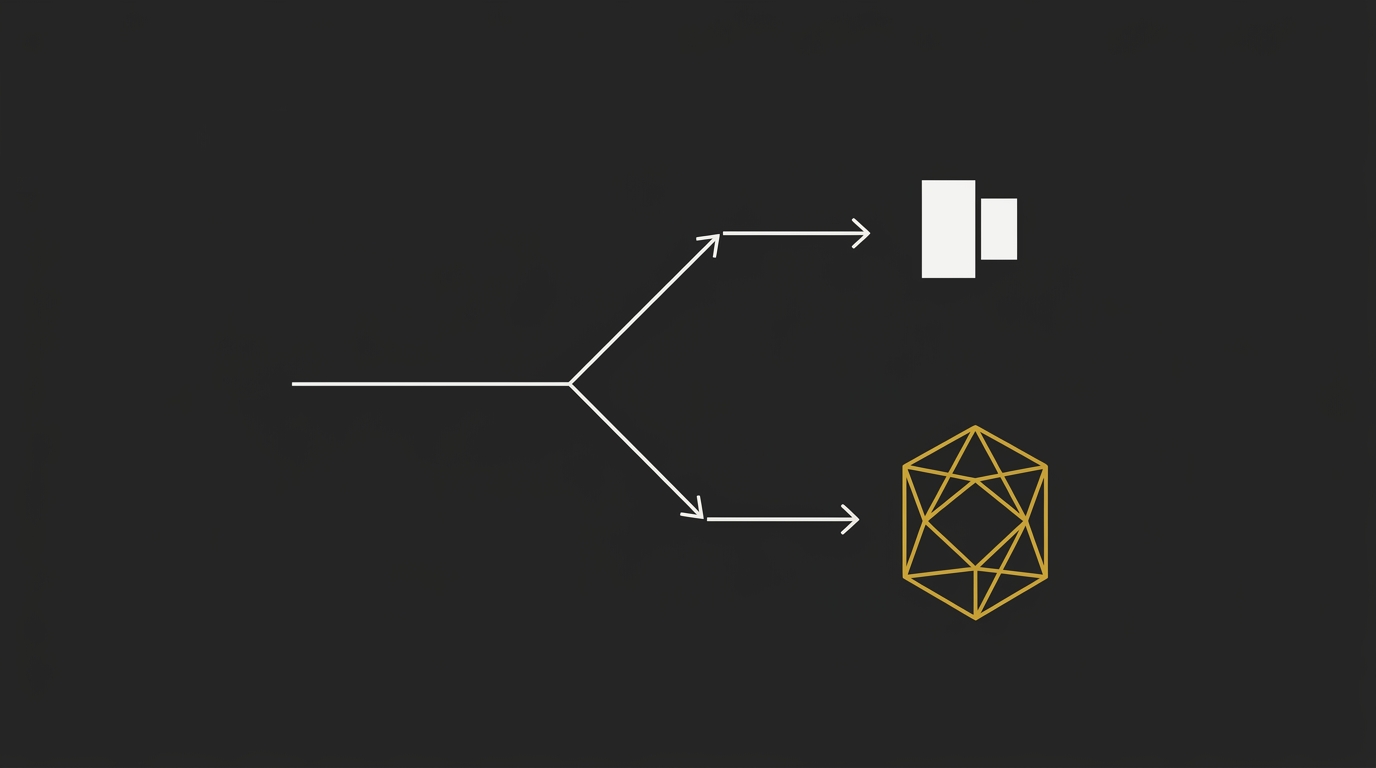
Send routine orchestration, formatting, refactors, and other mechanical code tasks to a cheap fast model, then dispatch only hard reasoning or second-opinion work to a frontier model. That routing pattern is repeatedly reported at roughly 60% to over 90% savings, with output quality staying basically identical when the split is set up well.
The catch is in the workflow shape. If your hard tasks still trigger extra reasoning passes or additional tool calls, the savings narrow fast, so the win comes from keeping expensive model usage focused on the small share of tasks that actually need it.
Your programming language changes the token bill
Your language choice changes the token bill because the same code task can take very different amounts of text to express. On matched RosettaCode tasks using GPT-family tokenization, Clojure averaged about 109 tokens per task while C averaged about 283, which is roughly a 2.6x gap for the same job.
That difference compounds in long coding sessions, especially when the agent keeps re-sending repo context every turn. If your workload involves lots of generated or edited code, terse languages can land materially cheaper over time than verbose ones, even before you change models.
See how different languages affect token costs ⇒
Subscription Plans vs API for Coding
A subscription plan can beat the API for coding when you use it hard, every day, and price the same work both ways. One tracked Claude Max run logged 6.5M tokens across 35 days, with an estimated $4,924 in API list-rate value against a $200 monthly plan, but that kind of gap comes from very high utilization. At lower usage, especially around half-cap use, the effective per-token cost can move much closer to the API and can even end up above it.
The practical risk is that coding costs can jump fast once long agent loops, repeated context, or pricing changes hit a task that used to feel cheap. A single review flow that once cost under a dollar can turn into a much bigger daily bill after an API change, which is why it pays to track sessions before you pick a plan as your default. The same caution applies to third-party bundles: when their economics depend on cache behavior you do not fully use, the official API can land cleaner, especially if you already understand Anthropic prompt caching pricing.
How to Choose the Right Coding Model for Your Workload
The right pick comes from matching the model to the pass standard your real work needs, then pricing the full session shape that gets you there. A leaderboard can point you in the right direction, but your actual workload decides the winner.

Set your quality floor first
Set the quality floor before you compare options, because the cheapest model only wins once it clears the pass bar your work actually requires. If you’re drafting a helper function, your floor can be lower than it is for a multi-step refactor, a repo audit, or production code that has to survive strict review.
Use the benchmark as a filter, not the whole decision. Once a model clears the level of correctness your tasks need, the next question is how much work it takes to get a passing result in your own environment.
Estimate cost per task, not price per million
Cost per task is the number that matters, because coding runs burn tokens through turns, repeated context, tool calls, and cache behavior. Two models with very different rate cards can land surprisingly close once you price the full session, especially when one needs more retries or keeps re-reading a large prefix.
A lot of token waste starts in the workflow itself. One audit of 926 coding sessions found the bigger leak was often the operator side: oversized prefixes, bloated tool definitions, pasted files that were already in context, verbose test output, repeated diffs and status reads, and mid-session instruction edits that break prompt-cache reuse.
Test on your own harness before committing
Test every serious candidate on your own harness before you commit, because the real answer is whether it passes your repo, your naming conventions, and your validation flow. Generated code earns trust after it passes your checks, so run tests externally and treat each output as code that still needs verification.
Text-only or reduced-access coding lanes often need this discipline even more, because context handling and validation can drift during longer sessions. A short pilot on your actual tasks will tell you more than a general ranking, and it will usually surface the session habits that move cost faster than the provider does.
Price Your Next Coding Run Before You Start It
The best model for coding is the one that clears your quality bar and gets the job done for the least money, and you only find that by pricing the actual run. Count the full session shape: prompt size, expected output, repeated context, and how many tokens your code task is likely to burn before you commit.
The AI Token Calculator is a free browser-based tool built for exactly that job. Paste your prompt, set an output ratio, compare provider costs side by side, and use the real numbers before you pick a model.
Price the run first. Estimate your AI token costs instantly.
Frequently Asked Questions
Which LLM is best for coding right now?
The best LLM for coding right now is the one that clears your quality bar at the lowest cost per passing task, and in this ranking that splits two ways: DeepSeek is the best value overall, while GPT-5 is the frontier pick for harder reasoning-heavy work.
That split matters because leaderboard position and real bill size are two different things. If your runs are long, iterative, or agentic, the session shape changes the outcome fast, which is why this article ranks models by passing task cost instead of benchmark score alone.
Is there any LLM better than Claude for coding?
Yes, depending on the workload, some models land better than Claude for coding on either value or top-end reasoning. In this article’s framework, DeepSeek lands ahead on value for many teams, while GPT-5 is the stronger frontier pick when the task is hard enough to justify the extra spend.
Claude still has a very strong place when your workflow keeps reusing a large prompt prefix, because caching can change the effective cost of repeated sessions. So the practical answer is workload-based: choose by session shape, pass standard, and how often you resend context.
What is the cheapest LLM for coding that still passes tests?
DeepSeek is the cheapest coding option in this ranking that still posts usable pass rates for real development work. That is why it takes the value spot in the short answer and in the model family breakdown.
Cheap only matters once the model clears your floor. And practical cost still depends on whether the service stays available at the volume you actually need, because a low headline price helps less when long sessions get slowed down or constrained.
Do benchmark scores tell you the real coding cost?
Benchmark scores tell you model quality on a narrow task, and the real coding cost comes from the full session you pay for. The live bill depends on turns, repeated context, cache behavior, and how much output the job actually produces.
Why does that gap get so big? Because a model with a stronger benchmark can still cost more per passing task if it needs expensive long runs, while a cheaper model can win if it passes fast with fewer tokens. That is the logic behind the comparison table and the pricing method used across this article.
Which LLM subscription is best for coding?
The best LLM subscription for coding is the one you use heavily enough that the flat monthly price beats the equivalent API bill. In this article, Claude Max is the clearest example of that logic because sustained daily usage can make the subscription far cheaper than paying list-rate API pricing for the same volume.
The decision rule is simple: if you code in long sessions, every day, and burn through a lot of tokens, a subscription can come out ahead. If your usage is lighter or bursty, pricing the API run directly usually gives a cleaner answer.
Are open-source coding models a real replacement for paid ones?
Open-source coding models are a real replacement when you want local control, prompts kept in your environment, and freedom from a metered API bill. They suit teams that already have the hardware, setup time, and appetite to run their own stack.
They are treated separately in this article because the cost structure is different. Once you move to local llms, the bill shifts away from per-token API pricing and into hardware, hosting, throughput, and ops, so a direct cost-per-passing-task comparison with paid APIs stops being apples to apples.