If you’re checking DeepSeek API pricing, before you commit code or budget, read the official page as the source and read this page as the independent audit. AI Token Calculator takes no provider money for its pricing data, sources every rate from provider documentation, and runs in the browser, so this read of deepseek api pricing stays provider-neutral and focused on what actually moves your bill.
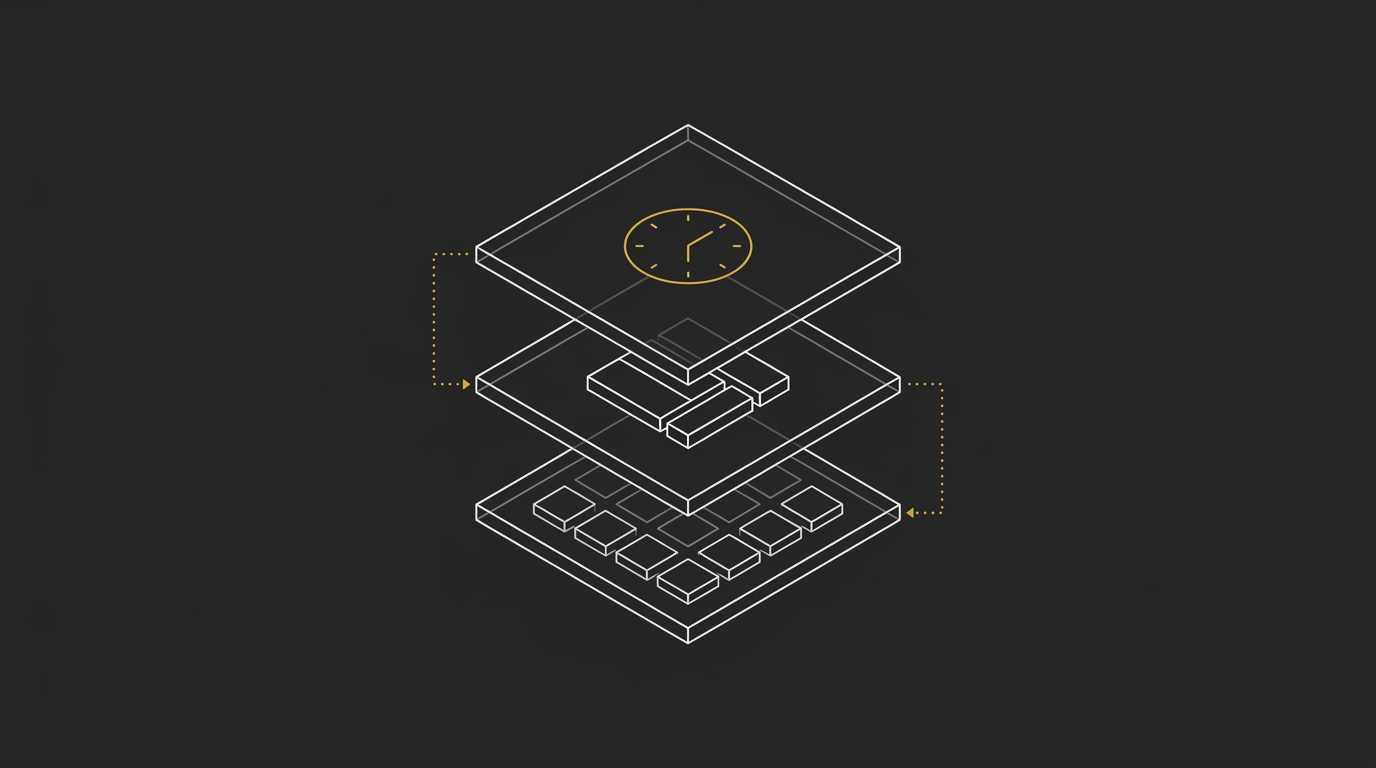
The main thing to catch is simple: the posted per-token price is only the starting line for the DeepSeek API. Your real cost moves with two multipliers, time of day and cache status, and those are the parts a developer should verify before estimating usage, comparing models, or shipping a workload. If you want the plain-English base layer first, start with what a token means in AI language models.
The Official DeepSeek Rate Card, Read Correctly
DeepSeek bills per 1 million tokens, with input, cache-hit input, and output priced separately, and your effective rate changes with both time of day and cache status.
| Model | Input (cache miss) | Input (cache hit) | Output | Context | Peak vs off-peak note |
|---|---|---|---|---|---|
| V4 Flash | $0.22 off-peak $0.44 peak |
$0.007 off-peak $0.014 peak |
$0.66 off-peak $1.32 peak |
Standard tier | Peak is exactly 2x off-peak |
| V4 Pro | $0.66 off-peak $1.32 peak |
$0.022 off-peak $0.044 peak |
$1.98 off-peak $3.96 peak |
Standard tier | Peak is exactly 2x off-peak |
The current rate table
The official DeepSeek API pricing per million tokens is a two-layer rate card: one layer by model, and one layer by billing condition. For both v4 flash and v4 pro, you have separate prices for input, cache hit input, and output, plus separate peak and off-peak rows.
That’s the part many people skim past. DeepSeek API pricing per million tokens only makes sense when you read the model name and the billing condition together, because the same workload can land on very different prices depending on when it runs and whether the repeated prompt prefix gets a cache hit.
The two things that actually move your bill
The two multipliers are peak vs off-peak pricing, and cache hit vs cache miss pricing. Those two switches matter more than any quick glance at the headline v4 flash or v4 pro rate.
A common pattern with batch workloads is that the clock drives the surprise cost jump, because the same request volume can price very differently when it lands in peak hours. Next up, we’ll look at the time-of-day multiplier first, then the cache hit and cache miss multiplier on its own.
Peak vs Off-Peak: Half Price for Moving the Clock
DeepSeek’s off-peak pricing cuts the token bill in half for work you can run later, and that matters most for batch, evaluation, and background jobs that don’t need an instant response. Same model, same prompt shape, same output volume, different clock.
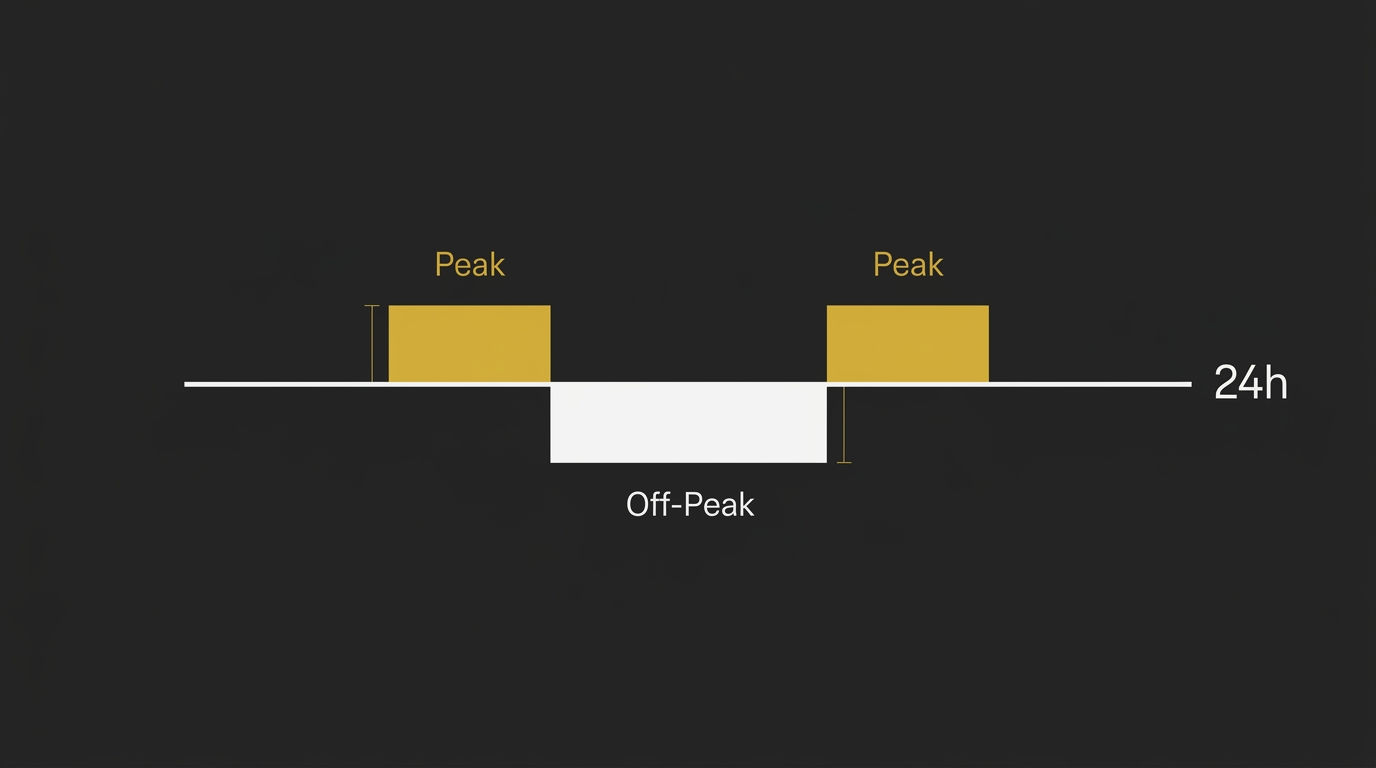
That pricing pattern also fits a simple operational read: the cheaper off-peak window appears built to shift flexible demand away from busier periods. In practice, that’s why overnight or queued workloads can land with a surprise bill if they keep firing during peak hours.
The peak window, in UTC
Peak pricing applies during two UTC windows on weekdays: 01:00-04:00 and 06:00-10:00, Monday to Friday. Every other hour, plus all weekend, runs at off-peak rates.
So the scheduling rule is pretty clean. If a job can wait, move it outside those weekday hours and you cut that part of the bill by 50% with no model swap and no code rewrite.
What off-peak does to a monthly bill
Off-peak halves the monthly cost for the same token volume. For a simple example, take a batch job that processes 10 million input tokens and generates 5 million output tokens each month on DeepSeek V4 Flash.
At peak pricing, that workload costs $2.30 for input (10M × $0.23 per 1M) and $6.60 for output (5M × $1.32 per 1M), for a monthly total of $8.90. At off-peak pricing, the same job costs $1.10 for input (10M × $0.11 per 1M) and $3.30 for output (5M × $0.66 per 1M), for a monthly total of $4.40.
That is a monthly difference of $4.50 from timing alone. Token cost drivers usually get framed around model choice or prompt size, but on DeepSeek the clock is one of the main costs controls you actually have.
Cache Hit vs Cache Miss: DeepSeek’s Steepest Discount
DeepSeek’s biggest pricing break sits in cached input. When the leading part of a request matches recent context, those input tokens bill at the cache-hit rate, and that cached-input rate is the steepest input discount of any provider tracked by AI Token Calculator.
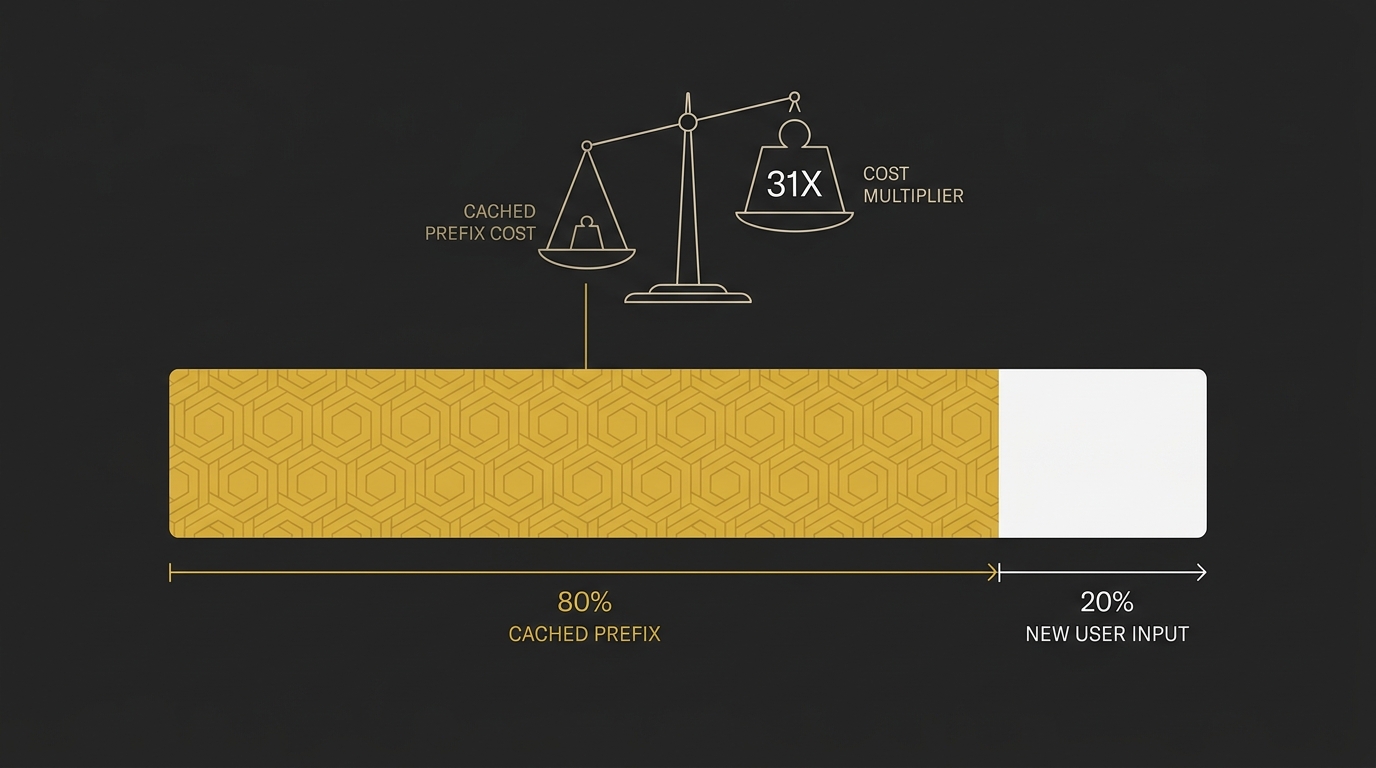
That matters most in agent loops, coding sessions, and any workflow that keeps resending the same system prompt, tool definitions, few-shot block, or project brief. A stable prefix turns repeated tokens into the cheapest part of the request.
How prefix caching gets billed
Prefix caching bills the front of the prompt in two lanes. The repeated leading chunk counts as a cache hit, while the new part of the request counts at the standard input rate for fresh tokens.
In practice, think of the request in order: system instructions first, then examples, then any repeated document context, then the changing user turn. If the stable material stays identical and stays at the front, more of those tokens land in the cached lane. That is why a consistent prefix is such a strong cost control on DeepSeek.
A common way to improve this is to keep one fixed project brief or memory block prepended on every turn. The goal is simple: keep the repeated context identical, so the model keeps billing more of it at the cheaper cached rate.
The cache-hit to cache-miss ratio, worked
The live arithmetic is simple: on DeepSeek-V4-Flash, a cache hit is $0.007 per million tokens and a cache miss is $0.22 per million tokens. Divide $0.22 by $0.007 and the same tokens cost about 31.4x more on a miss than on a hit.
Here is one concrete example with a 50,000-token repeated prefix:
- At the cache-hit rate: 50,000 tokens × $0.007 per 1M = $0.00035
- At the cache-miss rate: 50,000 tokens × $0.22 per 1M = $0.011
- Same prefix, different billing lane: the miss costs about 31.4x more
That gap is why cached input is the biggest discount on the card. If your app keeps resending the same context, your real bill depends heavily on how much of that prefix lands as cached tokens each turn.
One Workload, Four Cost Scenarios
One realistic way to see DeepSeek pricing is to hold one workload constant and change only the two billing multipliers: time window and cache share. The table below uses one monthly agent-style workload with fixed input tokens and output tokens, then shows how the cost moves across peak, off-peak, low cache hit, and high cache hit cases.
The workload and the assumptions
The workload is a monthly agent profile with repeated context, because that is where DeepSeek’s pricing spread gets easiest to miss. Think of a coding or support assistant that re-sends a stable system prompt and shared context on every turn, then adds fresh request content and generates replies.
The assumptions are the whole point here: fixed monthly input tokens, fixed monthly output tokens, one chosen model, and two cache-share cases. One case uses a low cache-hit share, where more input tokens bill at cache-miss rates. The other uses a high cache-hit share, where more of the repeated prefix lands at the cached price.
Peak and off-peak, low and high cache hit
The full 2×2 scenario only works when all four live rates can be verified for the same model and time window, because the math crosses both multipliers at once. In practice, that means you need the standard input lane, the cached input lane, and the output lane for both peak and off-peak before you publish a worked monthly cost.
That combined view matters because real-world agent costs can flip fast. Some teams still keep DeepSeek workable by pushing runs into off-peak hours and keeping a heavy cached prefix, but some agentic workloads with large repeated context have already moved from roughly subscription-sized monthly spend into a much higher bill even under favorable scheduling assumptions.
For a quick way to run your own four-cell scenario, estimate your AI token costs instantly. The homepage calculator models peak and off-peak separately and lets you set the expected cache-hit share against your own token mix.
The Model-Name Change You Need to Know About
As of Sep 10, 2026, the legacy deepseek-v4-flash name has been retired for new use, and requests under that path are served by DeepSeek-V4.1-Flash through the deepseek-flash model name. If you are wiring up a fresh integration, use deepseek-flash as the model parameter on the OpenAI-compatible base URL https://api.deepseek.com.
That change matters because model aliases and underlying versions are no longer the same thing. A familiar ID can now point to a newer backend, so deepseek-v4-flash and deepseek-flash do not mean two separate current models in practice, they route to the current Flash line.
What remains available is the Flash model and V4 Pro. The current models table lists deepseek-flash and deepseek-v4-pro, with model versions DeepSeek-V4.1-Flash and DeepSeek-V4-Pro-0813, on the same OpenAI-format base URL.
Reasoning also changed shape under deepseek v4. The thinking behavior sits inside the V4 models as a mode, instead of living on a separate reasoning model, so budgeting now depends more on output volume: thinking mode can consume more output tokens because the reasoning trace is part of what gets generated.
The current limits published for these models are a 1M context window and a maximum output of 384K per request. So if you’re migrating old code, the practical update is simple: swap the model parameter to deepseek-flash, keep the same OpenAI-compatible endpoint, and re-check any workload where thinking mode expands the response.
Does the Cheapest-Model Claim Hold Up
The cheapest-model claim holds up on published list rates, but the production bill is decided by cache-hit ratio and time window. For DeepSeek, that means the model with the lower sticker price is only part of the story, because cached input and off-peak scheduling can move the effective rate far more than a simple rank by price per million tokens suggests.
That matters most for agent runs. In an agent, spend is driven by repeated turns, resent context, and whether the shared prefix keeps hitting cache, so a model that looks cheaper on a rate card can finish as the more expensive option once the workload is live.
Against the flagships
Against flagship models, DeepSeek still reads as a cheap option on list price. The official structure already gives it two strong cost levers: off-peak pricing that cuts rates in half, and a cache-hit tier that drops repeated input far below cache-miss billing.
But the useful comparison is not headline rate versus headline rate. Ranking models by price per million tokens is nearly useless for agent workloads, because the live bill comes from session shape, context reuse, and cache behavior. A model at 2x the posted price can still be cheaper in production when cache hits stay high.
So if you’re comparing DeepSeek with an openai-compatible flagship, focus on the run pattern first. Ask a simpler question: does this workload reuse long prefixes across many turns, and can it run off-peak? If yes, DeepSeek’s real cost per completed task can stay much lower than a surface read of the price table suggests.
Against small and aggregated options
Against smaller models and aggregated routes, DeepSeek keeps its edge best when you use the direct API and actually collect the cache discount. The field concern here is consistent enough to matter: some external providers may bill DeepSeek traffic in a way that does not clearly pass through the cache-hit savings, and that changes the math fast on cache-heavy jobs.
This is where the cheapest label breaks. A nominally cheaper model, or a cheaper-looking route through an aggregator, can end up materially less cheaper once repeated context starts billing like fresh input on every turn. For agentic work, that gap compounds across loops.
If you route across providers, score the path on more than headline price. The LLM Routing Formula is the right frame here, because the winning route depends on delivered cache behavior, latency, and pass quality, not just the posted rate.
Free Credits and What Counts as Free
DeepSeek API costs money: the hosted API runs on pay-per-token billing, with published input and output rates on the official pricing page. So the practical answer is simple: once you move past any introductory credit a provider may offer at signup, usage is metered and billed by volume.
For this section, the safe reading is that the official page lists pay-as-you-go rates, and that is the part you should budget from. Competitor material cited a signup credit for new accounts, but this article only treats free allowance as confirmed when it is verified live in the current run, so the billable part to focus on is the live rate card.
In practice, that still means light usage can stay cheap. A small test workflow, prompt iteration cycle, or low-volume background job can land in cents per day at current rates, especially when the request shape is short and the model choice fits the task.
If you want a wider benchmark across model families, AI Token Price by Provider is the useful comparison page. Rate cards matter, but your real spend still comes down to volume, cache behavior, and when the job runs.
Frequently Asked Questions
How much does the DeepSeek API cost per million tokens?
DeepSeek prices its API per million tokens, with separate rates for input, cached input, and output. Based on the live rates cited in this article’s source set from August 2026, DeepSeek V4 Flash is listed at $0.22 per 1M input tokens off-peak on a cache miss, $0.007 per 1M on a cache hit, and $0.66 per 1M output tokens, with peak pricing doubling those rates.
That split is why the posted rate card is only the starting point for your deepseek api cost. If you want a quick grounding on token units before budgeting, see What Is 1 Million Tokens in AI.
What is the cost of the DeepSeek V4 Pro API?
DeepSeek V4 Pro is listed in the August 2026 source material at $0.66 per 1M input tokens off-peak and $1.98 per 1M output tokens off-peak. Peak pricing doubles those rates to $1.32 input and $3.96 output.
For v4 pro, the practical bill still depends on when the job runs and how much of the request qualifies for cached-input pricing. That’s the part many quick pricing summaries skip.
When are DeepSeek’s peak and off-peak hours?
DeepSeek’s peak window is 01:00-04:00 UTC and 06:00-10:00 UTC, Monday to Friday, based on the pricing material cited in this article from August 2026. Off-peak covers the remaining hours and bills at half the peak rate in those same source materials.
So if a workload can wait, the clock matters. Batch jobs, evals, and background processing usually get the biggest savings from off-peak scheduling.
What is DeepSeek cache-hit pricing?
DeepSeek cache-hit pricing is the lower input rate charged when the leading portion of a request matches cached context. In the August 2026 pricing material used for this article, DeepSeek V4 Flash shows a cache hit input rate of $0.007 per 1M tokens off-peak, versus $0.22 per 1M for cache-miss input.
That gap is steep enough that prompt structure can move the bill almost as much as model choice. Reused prefixes, stable system prompts, and repeated long context blocks are where this usually shows up.
Does OpenRouter apply DeepSeek’s cache-hit discount?
Aggregators can bill DeepSeek traffic at cache-miss economics, so cache-heavy work can come out cheaper on the direct DeepSeek API. The main thing to verify is whether the route preserves provider-side cached-input pricing in a way that reaches your invoice.
That matters most when your workload repeats large prompt prefixes across many calls. In that setup, a direct path can keep more of the cache hit savings visible in the final bill.
Does retry behavior change my real DeepSeek cost?
Retry behavior can change the real bill more than the sticker rate suggests, especially in tool-calling or schema-constrained flows. When a job retries after a tool or format failure, those extra passes add fresh input and output tokens, and the cost shifts again depending on whether the retries land in peak or off-peak hours.
In measured invoice-style extraction work, this is where planning often goes wrong. The posted unit rate looks cheap, but the real spend follows retry count, retry size, and timing on the clock.